 Skip to content

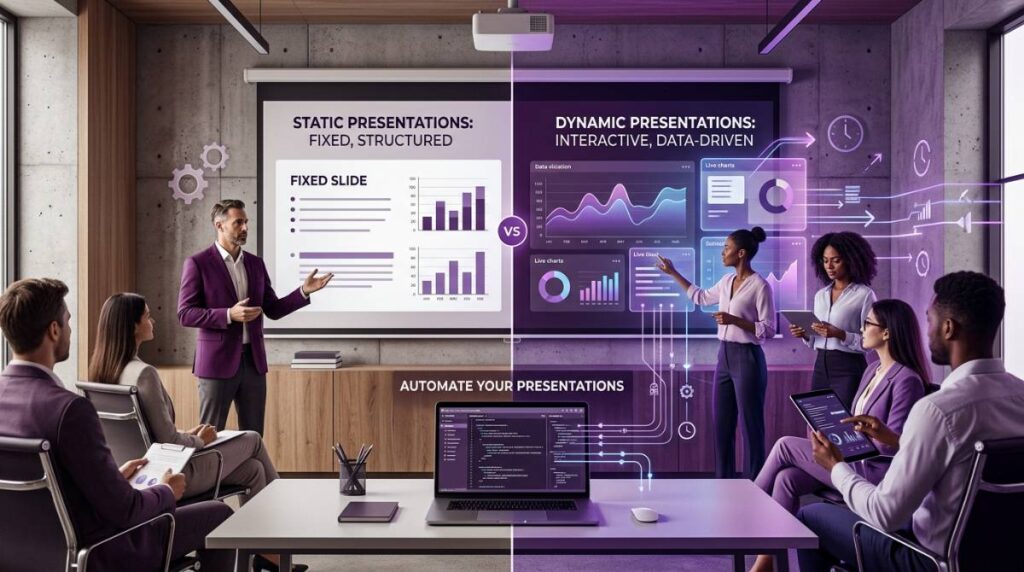
In today’s fast paced world, many teams still rely on static PowerPoint or PDF decks for critical business communication. Yet audiences increasingly expect engaging, data-driven content that reflects real-time insights. Dynamic presentations are highly effective at capturing and maintaining audience attention and interest, as they foster engagement through interactive elements, storytelling, and compelling visuals—crucial for ensuring message retention. Engagement is key to making presentations more compelling and effective, helping to keep the audience interested throughout.
Dynamic presentations are bringing presentations to life by creating memorable and interactive experiences that go beyond static slides. They are becoming more popular among businesses because they help create an atmosphere of interactive activity that is lacking in traditional presentations. Computers, tablets, and smartphones now make dynamic presentations possible, enabling presenters to deliver content that adapts in real time.
Whether you’re preparing monthly finance board packs, 2026 Q1 investor updates, weekly marketing dashboards, or HR headcount reports, understanding static vs dynamic presentations is essential.
The core tension is simple: static slides offer stability and easy archival, while dynamic presentations deliver up-to-date data but require more effort to maintain manually. This article will define both concepts, compare their strengths, explore the manual workload involved, and show how INSYNCR automates data-connected PowerPoint presentations.
Definitions: What Are Static and Dynamic Presentations?
The distinction between static and dynamic refers to both content (fixed versus data-driven) and delivery style (traditional lecture versus interactive storytelling), as well as the evolution of presentation language and communication styles. Over time, the ‘language’ of presentations has grown to prioritize adaptability and clarity, much like Guy L. Steele Jr.’s work on growing a language, reflecting the need for presentations to engage and inform diverse audiences.
A static presentation is a PPTX or PDF exported on a specific date—say March 1, 2026—containing frozen numbers for FY 2025 results. Each ‘page’ of a static PDF represents a fixed unit of the document, with material that is read-only and cannot be manipulated by the viewer. There are no links to data sources, no in-slide filters, and no automatic updates. Traditional presentations often fall into this category.
A dynamic presentation connects slides to live data sources like SQL databases, Salesforce pipelines, or Google Sheets, and is powered by tools such as plugins or devices that enable real-time data connections and interactivity. Dynamic presentations use interactive materials—such as videos, interactive dashboards, and scenario toggles—that allow viewers to manipulate views, engage with the content, and perform real-time data analysis. These presentations are interactive and often connected to live dashboards, enabling automatic regeneration each week or month with fresh data, without rebuilding slides.
- Key distinction: A PPTX file can be static (copied figures) or dynamic (connected via a tool like INSYNCR to live data), with static content being read-only and dynamic content allowing viewers to interact with and explore the material.
Static Presentations: Strengths, Limitations, and Typical Use Cases
Static slides aren’t wrong—they’re often the default for compliance, sign-off, and archival reasons. Understanding when traditional slides work best helps you adapt your approach.
Strengths:
- Predictable layout with fixed numbers for legal sign-off
- Easy to distribute as PDF via email or Teams
- No dependencies on data sources during the meeting
Limitations:
- Numbers become outdated within days
- Manual copy-paste from Excel or BI tools creates error risks
- Difficult to update when budgets change before the 2026 Q2 board meeting
Best use cases:
- Annual reports in PDF format
- 5-year strategic plans
- Training manuals and education materials
- Printed leave-behind decks for clients
- Compliance documentation with slide titles like “2025 Actuals vs Budget – Final”
Dynamic Presentations: Strengths, Limitations, and Typical Use Cases
Dynamic presentations combine live or refreshed data with interactive delivery—allowing presenters to create a lasting impression through real-time exploration. Compared to traditional static presentations, dynamic presentations are more engaging and help prevent audience disengagement, especially when presenting to a crowd.
Strengths:
- Up-to-date numbers pulled at generation time, providing real-time insights so leaders can react faster to market shifts
- Ability to drill from group view to region or portfolio company
- Richer storytelling through animations, videos, and multimedia—incorporating storytelling makes the message more relatable and memorable for the audience
- Dynamic presentations help the audience better understand complex information by using interactive elements and multimedia
- Effective delivery relies on speaking style and tone, which are crucial for engaging a crowd and making the presentation memorable
Concrete examples:
- Weekly 2026 sales forecast pulling live from Salesforce
- Marketing dashboard connected to Google Sheets ad-spend
- PE portfolio report refreshed from SQL each month
Limitations:
- Requires reliable data sources and governance
- Risk of confusion if numbers change mid-meeting
- More complex to build by hand in native PowerPoint
- Dynamic presentations boost engagement and allow real-time updates but require more resources and technical skills
Interactive elements include: in-slide filters for country or business unit, conditional formatting highlighting negative variance in red, and animated charts that reveal Q1–Q4 results sequentially.
Static vs Dynamic: How to Choose the Right Approach
The best choice depends on your audience, decision frequency, how often content changes, and the topic you are presenting. Focus on the topic and tailor your presentation style to your audience—whether it’s a small group, where interaction and personal connection are key, or a larger crowd that may require a different approach. Consider this simple checklist:
| Factor | Static Works Best | Dynamic Works Best |
|---|---|---|
| Update frequency | Yearly | Daily/Weekly |
| Audience needs | Reading slides only | Drill-downs required |
| Legal requirements | Must archive exact version | Flexibility allowed |
| Presentation type | One-time pitch | Recurring KPIs |
| Practical scenarios: |
- 2026 investment committee needing portfolio drill-downs → dynamic
- Annual ESG disclosure requiring fixed approval → static
- HR monthly headcount with frequent reorganizations → dynamic
For presentations lasting longer than 10 minutes, engaging the audience through active learning—such as interactive elements, polls, or audience participation—can help maintain attention and boost engagement.
A hybrid model often works best: design once as a dynamic, data-driven template, then export static PDFs for sign-off when needed.
Manual Workload: How Much Time Static and Semi-Dynamic Decks Take
Many teams imitate dynamic behaviour manually—rebuilding static slides every cycle using copy-paste from Excel, BI tools, or CRM exports. This process consumes significant life and focus.
Typical manual workflow:
- Export data from SQL or SAP
- Clean in Excel
- Paste into 25 charts and 15 tables in PowerPoint
- Adjust labels and update commentary by hand
Time investment: An FP&A team preparing a 60-slide monthly 2026 management report typically spends 6–10 hours on this preparation each cycle, illustrating how much time is lost to manual data-to-presentation workflows.
Common risks:
- Version confusion (Final_v7_March2026.pptx)
- Inconsistent branding when analysts adjust charts individually
- Formula errors leading to wrong EBITDA in the board pack
The impact on teams is real: late nights before Q3 close meetings, limited time for actual analysis, and hours spent on presentation plumbing instead of investigating revenue drivers. When so much energy is spent on manual updates, presenting complex information clearly and engagingly becomes even more challenging—a problem that INSYNCR’s reporting automation solutions and customer success stories directly address.

Disadvantages of Manual “Dynamic” Work in PowerPoint
Without automation, trying to keep decks dynamic just increases complexity and error rates. Remember these key points:
- Data integrity issues: Someone forgetting to update a linked Excel file, sales figures in slide 5 not matching slide 23
- Scalability problems: Impossible to maintain 40 different client variations of the same 2026 Q2 report without mistake
- Branding inconsistency: Charts with different fonts, colours, and number formats across teams
- Opportunity cost: Senior analysts spending month-end on slide surgery instead of delivering impactful analysis
Where Automation Fits In: From Static Files to Data-Driven Templates
Automation means connecting PowerPoint templates directly to data sources so slides update or regenerate automatically—on a schedule or on demand, using techniques like those covered in INSYNCR’s software guides for data-driven PowerPoint presentations.
The concept of a “master report template” changes everything: a single 2026 “Monthly Management Report.pptx” with mapped fields and chart placeholders linked to data rather than pasted values.
Key benefits:
- Generate both dynamic presentations (for live meetings) and static exports (PDF, MP4) from the same template
- Preserve strict branding: corporate colours, fonts, and layouts designed once
- Transform from manually updated static slides to data-connected templates with push-button refresh
How INSYNCR Turns Static Slides into Dynamic, Data-Connected Presentations
INSYNCR is a PowerPoint plugin designed specifically for finance, PE, marketing, HR, and research teams who need to automate recurring reporting and connect presentations to live data, with details on licensing, compatibility, and security in the INSYNCR FAQ.
Data connections: INSYNCR links slides to Excel workbooks, SQL databases, Salesforce, Google Sheets, and JSON/XML APIs common in 2026 corporate environments.
What INSYNCR automates:
- Charts, tables, and text boxes
- KPIs and conditional formatting
- Images driven directly from underlying data
Example: A 2026 portfolio monitoring deck for 25 companies updated monthly with a single click, instead of manual edits across 25 separate PPTX files. Share your story through data, not through hours of formatting.
INSYNCR keeps presentations dynamic under the hood while allowing export to static formats like PPTX, PDF, and MP4 for distribution, and users can explore in-depth documentation in the INSYNCR Help Center.
INSYNCR Automation Advantages: From Hours of Manual Work to Minutes
The combination of automation and effective templates transforms your workflow:
| Manual Process | With INSYNCR |
|---|---|
| 6–10 hours monthly | 30–60 minute review |
| Individual file updates | Batch generation |
| Inconsistent formatting | Validated data sources |
| Version chaos | Single template |
| Batch generation: Automator users create one template and generate dozens of audience-specific decks—each sales region, each investor, each fund—at once, a pattern explored further in INSYNCR’s articles on automating financial reporting processes. |
Team-based licensing: Automator roles set up templates and connections, while Viewer roles safely refresh and export presentations without touching formulas or queries, which is reflected in INSYNCR’s subscription plans for different team sizes and needs.
Practical Tips: Moving from Static to Dynamic Presentations
Start with this actionable checklist for your organisation, keeping in mind real-world INSYNCR success stories from finance, PE, marketing, and HR teams:
- Identify pilot candidates: Select 2–3 recurring presentations (monthly management report, quarterly board deck, weekly marketing performance)
- Standardise templates: Define one branded PowerPoint template specifying which KPIs and charts to automate versus manual commentary
- Map data sources: Determine which metrics come from Excel, SQL, Salesforce, or Google Sheets, and verify update frequency
- Start hybrid: Use INSYNCR to automate core visuals and numbers while presenters add narrative and ideas manually before each talk
Conclusion: Blending Static Reliability with Dynamic Intelligence
Static vs dynamic presentations isn’t a binary choice. High-performing teams in 2026 use dynamic, automated templates to generate both engaging live decks and reliable static exports—achieving lasting impact without the manual burden.
The pain is real: hours lost each month to copy-pasting and formatting, plus the worry of wrong numbers in critical board or investor presentations. There’s no need to rely on outdated processes when better tools exist.
INSYNCR turns PowerPoint into a dynamic reporting front-end for your existing data stack while still delivering static PDFs and PPTXs when needed. Connect your data, maintain audience participation, and reclaim your time for actual analysis.
Ready to transform your next monthly or quarterly report?
Start a free 7-day INSYNCR trial and turn your static slideshow into an automated, dynamic presentation workflow, or get in touch via the INSYNCR contact page if you have questions about fit, pricing, or rollout.


