 Skip to content
Articles, guides and notes from the reporting desk.
136 pieces on automated reporting in Microsoft PowerPoint: how to link data, what to automate, tools compared, the manual, release notes and customer stories. Newest first.
-
 The ESG Reporting Tool Private Equity Teams Actually Use
The ESG reporting tool private equity teams use to go from 4 months to 3 hours across 55 portfolio companies. Real numbers, no new platform, built inside PowerPoint.
Article3 November 2026 · 7 min read
-
 “The 5 Reports Every Finance Team Should Automate First”
Automate financial reports and save 664 hours a year per analyst. The 5 finance reports worth automating first, ranked by hours, with the real cost math.
Article27 October 2026 · 7 min read
-
 The Real Cost of Your Monthly Board Deck
Board deck automation cost, done as honest CFO math: 14 hours a month is 112,320 euros a year for one deck. Here is where the money goes and…
Article22 October 2026 · 7 min read
-
 The Last Mile of AI Nobody Is Solving
The last mile of AI is the gap between an insight being found and it reaching the board deck. Why the final step stays manual, and what actually…
Article20 October 2026 · 8 min read
-
 A freestyle rapper, a festival screen, and a PowerPoint that fills itself
A form, a Google Sheet and a PowerPoint deck put the crowd's words on Harry Mack's stage screen. Here's how it works, and how to build it with…
Article12 October 2026 · 3 min read
-
 The Best PowerPoint Add-Ins for Finance Teams, Matched to Real Jobs
The best PowerPoint add-ins for finance, matched to real jobs: board decks, investor reports and ESG. Compare think-cell, UpSlide, Macabacus and INSYNCR.
Article8 October 2026 · 6 min read
-
 How to Choose a PowerPoint Automation Tool: A 2026 Buyer’s Guide
Choosing a PowerPoint automation tool in 2026? Compare think-cell, UpSlide, Macabacus, Rollstack and INSYNCR on data sources, setup time and scale.
Article8 September 2026 · 8 min read
-
 The Best PowerPoint Automation Tools of 2026, Compared Fairly
The best PowerPoint automation tools of 2026, compared fairly. think-cell, UpSlide, Macabacus, Rollstack, Power-user, empower and INSYNCR, with a best-for pick.
Article3 September 2026 · 8 min read
-
 think-cell Alternatives: 6 Honest Options and Who Each One Suits
Looking for think-cell alternatives? Compare UpSlide, Macabacus, Power-user, empower, Rollstack and INSYNCR, with a clear note on who each one suits.
Article27 August 2026 · 6 min read
-
 The Best Tools to Link Excel to PowerPoint in 2026
A fair look at the best tools to link Excel to PowerPoint: native paste-link, Power-user, think-cell, Rollstack, and INSYNCR. Who each one is really for.
Article30 July 2026 · 8 min read
-
 Mail Merge in PowerPoint: Why It Doesn’t Exist and What to Do Instead
PowerPoint has no native mail merge. Here is why, what Word can and can't do for slides, and how to generate 500 personalized presentations from one template.
Article23 July 2026 · 9 min read
-
 The hidden cost of manual PowerPoint editing
Manual PowerPoint editing looks manageable until recurring reports, stakeholder revisions, and copy-paste updates begin draining hours from every reporting cycle. This article breaks down the real business cost…
Article28 May 2026 · 8 min read
-
 The future of presentation automation for consultants
Consulting firms are rethinking how client presentations get built, updated, and delivered. This article explores how presentation automation is shifting from simple slide generation to live, data-driven reporting…
Article26 May 2026 · 9 min read
-
 Why agencies lose money on slide updates — and how to fix it
Manual slide updates quietly erode agency margins through non-billable rework, version-control chaos, and error-prone reporting workflows. This article explains where the profit leak happens and how agencies can…
Article24 May 2026 · 10 min read
-
 How INSYNCR Transforms Static Presentations into Interactive Dashboards
Turn Your Static PowerPoint Slides into Dynamic, Data-Driven Dashboards. INSYNCR transforms static presentations into interactive dashboards by connecting your PowerPoint slides directly to live data sources. This guide…
Article20 May 2026 · 11 min read
-
 10 Tips to Improve Your Automated Report Workflow
Introduction. Automated report workflows have become essential for modern business efficiency. This guide is designed for business analysts, operations managers, and IT professionals seeking to optimize their reporting…
Article18 May 2026 · 15 min read
-
 Export PowerPoint Slides as Images in High Quality (Without Losing Detail)
If you need to export PowerPoint slides as images in high quality, the default settings in Microsoft PowerPoint are often not enough. This guide shows how to improve…
Article16 May 2026 · 8 min read
-
 Maximize ROI with PowerPoint Data Automation Solutions
Every month, teams across finance, private equity, marketing, and HR spend countless hours copying data into PowerPoint slides. Charts break. Numbers get stale. Version confusion spreads. By the…
Article14 May 2026 · 23 min read
-
 Case Study: Saving 90% Time with INSYNCR’s PowerPoint Automation in Finance Team
A mid-size financial services company transformed their entire reporting process from 60 hours per week down to just 6 hours—freeing their team to focus on insights that actually…
Article12 May 2026 · 11 min read
-
 Best Practices for Real-Time PowerPoint Data Updates
Recurring reports drain hours from your week. Sales professionals report spending upwards of six hours merely updating data across five presentations—and that’s before tackling version control, ensuring team…
Article10 May 2026 · 13 min read
-
 The Psychology of Data Presentation: Turning Numbers into Decisions
It’s March 2026, and a CFO has exactly 90 seconds between meetings to skim a Q1 performance deck. She doesn’t read it—she scans. Her eyes land on a…
Article4 May 2026 · 16 min read
-
 Best Software for Reports in 2026: From Manual Reporting to Full Automation with INSYNCR
If you’re part of a data-heavy team in marketing, finance, operations, or product management, you already know the reporting grind. Every week or month, you pull data from…
Article2 May 2026 · 20 min read
-
 Automatically Create PowerPoint Slides from Excel
Five ways to automatically create PowerPoint slides from Excel: paste-link, VBA, Python, add-ins and INSYNCR. With working code, and where each method breaks.
Article30 April 2026 · 11 min read
-
 Google Sheets Live Data: From Manual Updates to Automated Reports
Teams across finance, PE, marketing, and HR rely on Google Sheets as their reporting backbone. Yet most still export CSVs, paste into Sheets, rebuild charts, then copy everything…
Article26 April 2026 · 13 min read
-
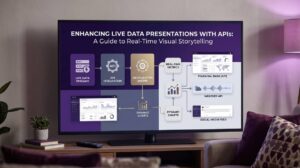 Top APIs for Live Data Presentations: Enhance Your Visual Storytelling
Pulling real-time data from SQL databases, Salesforce, Excel Online, or REST/JSON endpoints directly into PowerPoint sounds like a dream for anyone who has spent hours copying figures into…
Article20 April 2026 · 24 min read
-
 Personalized Sales Presentations: The Complete Guide for B2B Teams in 2026
Introduction: Why Personalized Sales Presentations Matter in 2026. In 2026, buyers expect more than a polished slide deck. They expect you to know their business, their challenges, and…
Article18 April 2026 · 16 min read
-
 The Evolution of Presentations: From Cave Walls to Automated, Data-Driven Slides
Presentations have evolved from ancient visual tools like cave paintings to modern digital formats, reflecting changes in technology and communication practices. This article explores the evolution of presentations—tracing…
Article2 April 2026 · 18 min read
-
 Build Better Business Presentations with INSYNCR’s Features
Transform Your Presentations from Static to Interactive Presentations in Minutes. INSYNCR is a PowerPoint plug-in that connects your slides directly to live data sources, eliminating manual copy-pasting and…
Article31 March 2026 · 10 min read
-
 Data Credibility Presentations: How to Make Your Numbers Trusted, Clear, and Automated
Introduction. This article explores how to deliver data credibility presentations that ensure your numbers are trusted, clear, and actionable. It is designed for professionals who present data—such as…
Article31 March 2026 · 16 min read
-
 Tips for PowerPoint Dashboards: Layout, Fonts, Placeholders & Data Automation
Recurring business reviews still happen in PowerPoint decks in 2026. Monthly finance packs, quarterly business reviews, and marketing performance updates continue to rely on carefully designed slides rather…
Article29 March 2026 · 15 min read
-
 Data Presentation Mistakes: How to Avoid Them (and Automate the Fix)
Poor data presentation leads to wrong decisions. In finance, marketing, and private equity, recurring slide decks built from Excel and BI tools form the backbone of executive communication…
Article27 March 2026 · 17 min read
-
 Data Visualization Storytelling: Turn Live Data into Actionable Presentations
In 2026, organizations generate more data than ever before—IoT streams, CRM pipelines, financial systems, and predictive models all producing numbers around the clock. Yet the challenge isn’t collecting…
Article25 March 2026 · 15 min read
-
 Real-Time Data Integration: A Complete Guide for Automated Reporting
Real-time data integration moves fast in 2026. Customer transactions, website clicks, inventory levels, and financial metrics change by the second. Yet most organisations still prepare their board packs…
Article23 March 2026 · 40 min read
-
 Automation Proposal: How to Stop Building Reports and Presentations by Hand
This guide explains how to create an effective automation proposal to stop building reports and presentations by hand. This article is for professionals who want to streamline recurring…
Article19 March 2026 · 18 min read
-
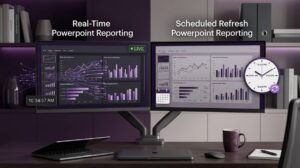 Real-time vs scheduled refresh in PowerPoint reporting: choosing the right model for executive decks
“Real-time” is not always the right choice for executive reporting. Learn how to choose between real-time and scheduled refresh for PowerPoint decks, based on risk, governance, performance, and…
Article18 March 2026 · 5 min read
-
 Why Excel links break in PowerPoint (and how to make reporting resilient)
Broken Excel-to-PowerPoint links are rarely a user error—they’re a system reliability issue. Learn the most common failure modes and how to build a resilient, automated reporting workflow.
Article13 March 2026 · 5 min read
-
 How real-time data integration transforms financial decision-making
Financial decision-making has always been a race against time. In banking, capital markets, insurance, and fintech, the “right” decision is often the one made with the freshest, most…
Article12 March 2026 · 8 min read
-
 Streamlining manufacturing dashboards with real-time data updates
Latency turns manufacturing dashboards into a rear‑view mirror: by the time output, scrap, OEE, WIP, and downtime land in slides, the shift has already moved on. Real-time refresh…
Article11 March 2026 · 7 min read
-
 How to connect PowerPoint to SQL data for recurring executive reporting
Connecting PowerPoint to SQL data is less about “getting data into slides” and more about building a reliable reporting pipeline. Learn the practical architecture, governance, refresh models, and…
Article10 March 2026 · 7 min read
-
 Managing distributed reports across multi-location enterprises without synchronization overhead
Multi-location reporting doesn’t fail from a lack of data—it fails from reporting gravity. Centralized automation replaces template drift, version chaos, and stale copy-paste snapshots with governed, data-connected PowerPoint…
Article8 March 2026 · 9 min read
-
 Reporting at scale: generating 100+ PowerPoint reports from one template (client, site, or region)
If your team produces dozens or hundreds of nearly identical decks, the problem isn’t slide design—it’s production. Learn a template-driven model for generating 100+ client/site/regional PowerPoint reports from…
Article6 March 2026 · 4 min read
-
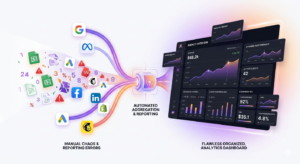 Goodbye Spreadsheet Errors: Why Smart Agencies Trust Automated Reporting
Manual spreadsheet reporting wastes time and creates errors and inconsistent data. Automated KPI reporting pulls data from the source and connects metrics clearly.
Article5 March 2026 · 5 min read
-
 How to link PowerPoint to Excel data (without breaking your reporting workflow)
An enterprise-ready guide to connecting PowerPoint to Excel data—covering native linking pitfalls, governance, refresh reliability, and how to scale automated slide updates across teams.
Article3 March 2026 · 5 min read
-
 Data accuracy in automated reporting: validation patterns for audit-ready slides
Automating reporting only works in the enterprise if it increases trust. This article lays out practical validation and governance patterns—reconciliation, exception handling, approvals, versioning, and evidence capture—so teams…
Article2 March 2026 · 7 min read
-
 How to create employee onboarding videos (and personalize them at scale)
A practical, slide-by-slide framework for building employee onboarding videos in PowerPoint—plus how to scale personalized welcome and logistics details (manager, title, keys, desk reservation) using INSYNCR’s data-driven automation.
Article1 March 2026 · 8 min read
-
 Eliminating daily manual production dashboards in manufacturing operations
Daily production dashboards often fail for one reason: they’re rebuilt manually from disconnected systems. This article outlines a practical, enterprise-ready approach to automate manufacturing KPI dashboards and shift…
Article27 February 2026 · 6 min read
-
 Financial presentation software: what to automate (and what not to)
Finance teams don’t need “more charts.” They need a repeatable, governed system for turning source-of-truth data into board-ready slides—without last‑minute copy/paste, broken links, or version chaos. This guide…
Article26 February 2026 · 8 min read
-
 Statistical presentation acceleration: building analysis slides without data entry bottlenecks
Stop rebuilding slides by hand. This guide shows how statistical teams can connect R/Python/BI outputs to parameterized PowerPoint templates, auto-refresh decks on schedule, and keep lineage intact—so insights…
Article25 February 2026 · 6 min read
-
 How real-time data consolidation transforms financial close procedures
Real-time data consolidation turns month-end close from a spreadsheet-heavy scramble into a continuous, exception-driven process. Reconcile earlier, surface intercompany issues sooner, and keep reporting decks current with fewer…
Article24 February 2026 · 5 min read
- INSYNCR V1.3.0 – Release Notes #009 (February 2026)
New Features. Release Date: February 2026. Version: INSYNCR V.1.3.0. We're pleased to announce INSYNCR V.1.3.0. We have added features. Features. Optional filter option on Textbox and Picture Shapes…
Product update13 February 2026 · 2 min read
-
 The 10 KPIs Clients Really Care About (and How to Deliver Them Automatically)
The KPIs clients value most are those directly tied to real business impact. Automated reporting turns performance data into clear insights that guide decisions.
Article11 February 2026 · 5 min read
-
 Link PowerPoint to Microsoft Dynamics Data
Your Microsoft Dynamics platform is a goldmine of business intelligence. It holds critical information on every customer interaction, sales opportunity, and service ticket. This data is the engine…
Software guide6 February 2026 · 6 min read
-
 Connecting PowerPoint to Microsoft Access
While spreadsheets are great for flat lists and quick calculations, true data power often lies in relational databases. For decades, Microsoft Access has been the unsung hero of…
Software guide5 February 2026 · 5 min read
-
 The Complete Guide to PowerPoint Automation
PowerPoint automation removes repetitive reporting work without changing how teams present results. Automated slide reporting keeps presentations accurate and consistent with structured data.
Article4 February 2026 · 18 min read
-
 Automating Excel Macros for Data Reporting with the INSYNCR Plugin
Automating Excel Macros for Data Reporting with the INSYNCR Plugin. Data reporting is the heartbeat of modern business. From daily sales figures to weekly inventory levels, timely information…
Knowledgebase2 February 2026 · 7 min read
-
 Master Your Reports: A Simple Guide to Data Filters in INSYNCR
Master Your Reports: A Simple Guide to Data Filters in Insyncr. The INSYNCR plugin transforms Excel into a dynamic reporting hub, connecting your spreadsheets directly to live data…
Knowledgebase2 February 2026 · 6 min read
-
 Connecting PowerPoint to Excel
Let's be honest: the world runs on spreadsheets. Whether you are tracking sales figures, managing inventory, or planning a complex project, chances are you are using Microsoft Excel…
Software guide30 January 2026 · 5 min read
-
 Automate Your Automation: The Snapshot Command Line Tools
You have embraced report automation. You have built dynamic templates that pull data from live sources, and you use the Snapshot feature in INSYNCR to generate dozens, or…
Software guide29 January 2026 · 10 min read
-
 Personalized Reports at Scale: Using Snapshot Save As
What Are Snapshot Presentations? You have just finished designing a brilliant master presentation. It’s a dynamic template, linked to an Excel sheet containing data for 100 different clients…
Software guide29 January 2026 · 5 min read
-
 Mastering the Snapshot Feature
What Are Snapshot Presentations? You have built the perfect dynamic slide. It pulls in live sales figures, updates the product image automatically, and even adjusts the chart based…
Software guide29 January 2026 · 6 min read
-
 Beyond Copy-Paste: The Power of Snapshot Presentations
What Are Snapshot Presentations? Normally, INSYNCR-powered slides are "live." They are connected to a data source, and the content can change whenever you refresh the data. A snapshot…
Software guide29 January 2026 · 5 min read
-
 Stop Hardcoding: How to Use Variables for Flexible Reporting in INSYNCR
We have all been there. It is the first Monday of the month, and you open your "Monthly Sales Report" PowerPoint file. Before you can hit refresh, you…
Software guide29 January 2026 · 5 min read
-
 Always on Time: Adding Dynamic Dates to Your Reports
You have finalized your monthly report. Every chart is perfect, every table is triple-checked. You save it as Monthly_Report_Final_v3.pptx. A week later, you open it for a meeting…
Software guide29 January 2026 · 6 min read
-
 Smart Reporting with Video: How to Automate Data-Driven Clips in PowerPoint
Video is the most engaging medium we have. It captures attention, evokes emotion, and explains complex concepts faster than any chart or bullet point ever could. But in…
Software guide28 January 2026 · 7 min read
-
 Beyond the Bar Chart: Using Meters to Visualize Data
Numbers are powerful, but they can also be abstract. Knowing that you are at 87% of your quarterly sales goal is good information, but it doesn't create a…
Software guide28 January 2026 · 7 min read
-
 Data Visualization on Autopilot: Linking Charts to Data in PowerPoint
We live in a visual world. When you need to communicate a trend, a comparison, or a breakdown of data, a chart is almost always better than a…
Software guide28 January 2026 · 7 min read
-
 Stop Copying Tables: Link Data Directly in PowerPoint
If you have ever built a business presentation, you know the pain of working with tables. You spend an hour meticulously copying rows and columns from an Excel…
Software guide28 January 2026 · 6 min read
-
 Visual Automation: How to Link Data to PowerPoint Images
We have all heard the saying, "A picture is worth a thousand words." In the world of presentations, this couldn't be truer. A spreadsheet might tell you that…
Software guide28 January 2026 · 7 min read
-
 Turn Static Words into Living Data: How to Link Data to Text Boxes
We have all been there. It is the morning of a big presentation. You have your slide deck open on one screen and a spreadsheet open on the…
Software guide28 January 2026 · 6 min read
-
 Setting Up Your First Data Connection in INSYNCR
Creating a presentation often involves pulling information from various sources. You might have sales figures in an Excel sheet, customer data in a SQL database, or project updates…
Software guide28 January 2026 · 7 min read
-
 Get Started with an INSYNCR PowerPoint Plugin
Getting started with INSYNCR is fast, simple, and designed to fit seamlessly into the way you already work. Whether you want to sync data, automate your workflows, or…
Software guide28 January 2026 · 3 min read
-
 An Introduction to PowerPoint Plugins
Microsoft PowerPoint is a powerful tool for creating compelling presentations. From sales pitches to academic lectures, it helps speakers convey their message visually. But what if you could…
Software guide27 January 2026 · 3 min read
-
 Managing Logfile Location, Logfile Retention & Disabling Logfile Generation
Managing Logfile Location, Retention, & Disabling Logfile Generation. INSYNCR provides flexible options for controlling how diagnostic logfiles are handled. By default, the system keeps 15 days of logs…
Knowledgebase26 January 2026 · 4 min read
-
 Understanding Relative and Absolute File Paths in the INSYNCR Plugin
Understanding Relative and Absolute Paths in the INSYNCR Plugin. When working with data-driven presentations in the INSYNCR plugin, linking to external data sources like Excel files is a…
Knowledgebase24 January 2026 · 4 min read
-
 Data‑Driven Hyperlinks in PowerPoint: Smarter Navigation for Dynamic Presentations
How to Create Data‑Driven Hyperlinks in PowerPoint. Hyperlinks are a powerful way to make your presentations interactive and dynamic. With the INSYNCR plugin, you can take hyperlinks to…
Knowledgebase22 January 2026 · 3 min read
-
 Using Variables in Presentations and Data Selections with INSYNCR Plugin
Using Variables in Presentations and Data Selections with INSYNCR Plugin. When working with dynamic data in presentations, efficiency and flexibility are key. The INSYNCR plugin introduces a powerful…
Knowledgebase21 January 2026 · 4 min read
- INSYNCR V1.2.1 – Release Notes #008 (January 2026)
New Features. Release Date: January 2026. Version: INSYNCR V.1.2.1. We're pleased to announce INSYNCR V.1.2.1. We have added features. Features. Text files from Internet URLs. Previously, only text…
Product update9 January 2026 · 2 min read
-
 INSYNCR V1.2.0 – Release Notes #007 (December 2025)
New Features. Release Date: December 2025. Version: INSYNCR V.1.2.0. We're pleased to announce INSYNCR V.1.2.0. We have added features. Features. Faster Snapshot Generation. We’ve completely reworked our snapshot…
Product update20 December 2025 · 2 min read
-
 INSYNCR V1.1.4 – Release Notes #006 (December 2025)
New Features. Release Date: December 2025. Version: INSYNCR V.1.1.4. We're pleased to announce INSYNCR V.1.1.4. We have corrected a bug regarding style codes. Bug Fix. Style Codes. Bug…
Product update15 December 2025 · 2 min read
-
 How to Use Dynamic Style Codes in PowerPoint for Fully Automated Formatting
Dynamic Style Codes in PowerPoint — A Practical Guide for INSYNCR Users. Dynamic presentations aren’t just about updating numbers or text. With INSYNCR, you can also automate the…
Knowledgebase15 December 2025 · 5 min read
-
 INSYNCR V1.1.3 – Release Notes #005 (November 2025)
New Features. Release Date: November 2025. Version: INSYNCR V.1.1.3. We're pleased to announce INSYNCR V.1.1.3. We have completed a review of internal files and libraries. Security Update. Checkup…
Product update15 November 2025 · 2 min read
-
 The Quarter-End Crunch: How Smart Organizations Are Eliminating Financial Reporting Stress
As the year ends, scale-ups and mid-sized companies face closing books and reports. Smarter reporting workflows reduce pressure and improve accuracy.
Article12 November 2025 · 4 min read
-
 INSYNCR V1.1.2 – Release Notes #004 (October 2025)
New Features. Release Date: October 2025. Version: INSYNCR V.1.1.2. We're pleased to announce INSYNCR V.1.1.2. We have included a bug fix for the data refresh button. Bug Fixes…
Product update15 October 2025 · 2 min read
-
 INSYNCR V1.1.1 – Release Notes #003 (September 2025)
New Features. Release Date: September 2025. Version: INSYNCR V.1.1.1. We're pleased to announce INSYNCR V.1.1.1. We have added a bug fix for Microsoft Dynamics 365 data connections. Bug…
Product update15 September 2025 · 2 min read
-
 INSYNCR V1.1.0 – Release Notes #002 (August 2025)
We're pleased to announce INSYNCR V.1.1.0
Product update26 August 2025 · 3 min read
-
 Automated Reporting Software: How INSYNCR Compares to the Alternatives (2026)
Teams waste hours weekly on manual data transfer, slide updates and formatting work. Automated reporting helps teams work faster and deliver clearer presentations.
Article26 August 2025 · 9 min read
-
 INSYNCR Joins Startit@KBC Accelerator to Scale Reporting Automation Innovation
Strategic collaboration with leading Belgian startup hub to fast-track growth and deepen industry impact
News26 April 2025 · 3 min read
-
 INSYNCR V1.0.0 – Release Notes #001 (March 2025)
We're excited to introduce INSYNCR V.1.0.0.
Product update14 October 2024 · 3 min read
-
 INSYNCR Launches Website in 2025!
We’re live! 🚀 INSYNCR has officially launched its brand-new website — the home base for everything related to automated reporting, dynamic data-driven presentations, and cutting-edge solutions for professionals…
News14 October 2024 · 3 min read