 Skip to content


If you’re part of a data-heavy team in marketing, finance, operations, or product management, you already know the reporting grind. Every week or month, you pull data from a half-dozen tools, rebuild charts, format slides, and hope nothing breaks before the stakeholder meeting. By 2026, this approach isn’t just tedious—it’s unsustainable.
This article explores the best software for reports in 2026, helping you choose the right solution for your needs. This guide is for business leaders, analysts, and operations teams seeking the best software for reports. Choosing the right reporting software can save time, reduce errors, and improve decision-making across your organization. As the explosion of data sources transforms how organizations operate, selecting the right reporting tool is more important than ever.
CRMs like Salesforce and HubSpot, ad platforms including Meta Ads and Google Ads, web analytics tools like Google Analytics, ERPs such as NetSuite, and data warehouses like BigQuery now generate a constant stream of information. Leadership expects real time insights, not reports reflecting data that’s two weeks old.
The old way—PowerPoint plus Excel plus endless copy-paste—simply doesn’t scale. Modern reporting demands seamless integration between your data stack and your final deliverables. That’s where automated reporting tools come in, transforming raw data into polished, always-current reports and presentations.
Insyncr represents this new approach: a reporting platform that connects to your existing BI tools and data sources, then automatically generates branded slide decks and documents on schedule. Instead of rebuilding your monthly board pack from scratch, Insyncr does it for you.
What this article covers:
-
Clear definitions of reporting software and related concepts
-
The real time and effort manual reporting requires
-
Key disadvantages of the manual approach
-
Types of reporting tools and where automation fits
-
Essential features to evaluate in 2026
-
Use-case recommendations for executive, marketing, finance, and product teams
-
Why Insyncr stands out for report and presentation automation
-
Practical tips for migrating to automated workflows

What Is Reporting Software? (Definitions and Core Concepts)
At its core, reporting software encompasses tools that handle data collection, combine information from multiple sources—including critical business data such as sales, marketing, and operational metrics—and present data in structured formats—dashboards, PDFs, slide decks, or web-based reports. The best solutions include configurable schedules and automations that eliminate repetitive manual work. The best reporting tools typically include customizable reports, real-time data, visual dashboards, and collaboration features.
It’s worth clarifying some overlapping terms:
-
Reporting software: Broad category covering any tool that generates structured outputs from data
-
BI tools (business intelligence): Platforms like Power BI or Tableau focused on data visualization, in depth data analysis, and interactive dashboards
-
Dashboard tools: Real-time visual displays with filters and drill-downs, but often requiring manual export for executive-ready outputs
-
Presentation automation: Tools like Insyncr that generate branded PowerPoint or Google Slides from underlying data layers
Key concepts to understand:
-
Data connectors: Native integrations pulling from CRMs, ad platforms, analytics tools, and data warehouses
-
Refresh schedules: Daily, weekly, or monthly automated data pulls with timestamps showing last-update visibility
-
Templates: Repeatable formats ensuring consistent structure across reports
-
KPIs: Key metrics like ROAS, CAC, MRR, and burn-down charts
-
Access control: Role-based permissions and audit logs for governance
Concrete examples:
-
A monthly board report pulling GA4 traffic data, Meta Ads spend, CRM pipeline metrics, and finance spreadsheets into a 40-60 slide deck
-
A weekly marketing performance presentation automating ROAS trends across five marketing platforms into branded Google Slides with AI-generated commentary
Transitioning from understanding what reporting software is, let’s examine the real-world effort involved in manual reporting.
How Much Work Does Manual Reporting Really Take?
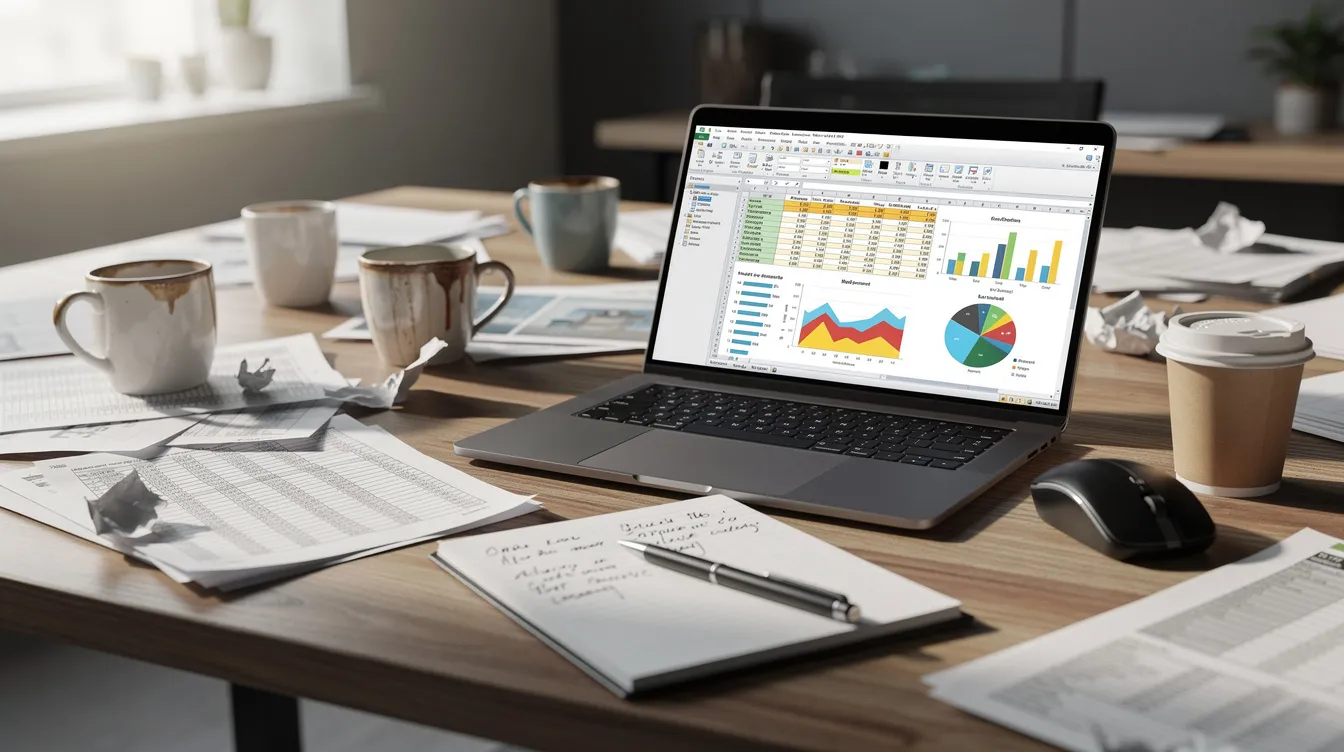
Consider a realistic scenario: a mid-sized company preparing a monthly performance report. The deck runs 40-60 slides, pulling data from Google Analytics 4, Meta Ads, LinkedIn Ads, CRM, and finance spreadsheets. Without automation, this reporting process consumes 8-20 hours per analyst or marketing manager per cycle.
Here’s where the time goes:
| Task | Time Estimate |
|---|---|
| Exporting and cleaning data from 5+ tools | 3-5 hours |
| Rebuilding charts and visuals | 2-4 hours |
| Updating commentary, screenshots, and narratives | 2-3 hours |
| Reviews, approvals, and corrections | 1-3 hours |
Hidden costs compound the problem:
-
Context switching: Studies suggest up to 40% productivity loss from multitasking between tools
-
Version control chaos: Multiple PowerPoint files and email threads reconciling discrepancies
-
Opportunity cost: Finance teams using manual processes spend over half their time on data wrangling rather than strategy
-
Late-night fixes: Last edits before stakeholder meetings become routine
Quantitative data underscores this: organizations implementing automated reporting see up to 82% reduction in financial reporting time. That implies manual baselines of dozens of hours monthly—time that could go toward data analysis and strategic initiatives.
Now that we’ve seen the time and effort involved, let’s explore how automation can transform the reporting process.
Automating Data Collection: The Foundation of Modern Reporting
Why Automate Data Collection?
Automating data collection is the cornerstone of any modern reporting process. In today’s data-driven landscape, organizations rely on a vast array of platforms—CRMs, marketing tools, finance systems, and more—all generating valuable information. Manually gathering and consolidating this data from multiple sources is not only time-consuming but also prone to errors that can undermine the accuracy of your reports.
The Role of Data Integration
By leveraging advanced data integration and AI powered analytics tools, businesses can automate the entire data collection workflow. Data integration is critical for reporting tools, requiring the capability to connect with CRMs, SQL databases, spreadsheets, and social media platforms for automated data collection. This means that data from disparate systems is seamlessly pulled together, cleaned, and prepared for analysis without manual intervention. Automating data collection ensures that your reporting process is always fed with up-to-date, reliable information, reducing the risk of human error and freeing up valuable time for your team.
Strategic Benefits
With automated data collection in place, organizations can focus on higher-level analysis and strategic decision-making, rather than getting bogged down in repetitive tasks. This foundation enables faster, more accurate reporting and sets the stage for advanced analytics, predictive insights, and truly data driven decisions.
With the foundation of automation established, it’s important to understand the risks and drawbacks of sticking with manual reporting.
Disadvantages of Manual Report and Presentation Creation
Beyond time investment, manual work carries significant risks that affect accuracy, credibility, and decision-making.
Core disadvantages:
-
Human error: Copy-paste mistakes, misaligned filters, and outdated screenshots plague accuracy. Research estimates spreadsheet error rates at 88% in corporate use
-
Inconsistent formatting: Ad-hoc PowerPoint decks rarely align with brand guidelines
-
No single source of truth: Conflicting numbers breed confusion across teams
-
Timing delays: Reports often reflect data 3-14 days old by presentation time, fostering reactive rather than proactive decisions
-
Scalability breakdown: Growth from 5 to 20 reports quarterly exponentially burdens capacity
-
Collaboration friction: Multiple PowerPoint versions and long email threads to reconcile discrepancies before leadership reviews
-
Audit risk: In finance, manual consolidations heighten compliance exposure compared to tools with dimensional tagging and traceable data lineage
When stakeholders receive static reports with stale information, they make informed decisions based on yesterday’s reality—not today’s.
To address these challenges, organizations are turning to automation.
Types of Reporting Software (And Where Automation Fits)
Reporting solutions fall into several practical categories, often used together rather than in isolation. Understanding where your current tools fit helps you identify gaps that automation can fill.
Many leading platforms now incorporate AI reporting to provide predictive analytics, natural language queries, and real-time insights, further enhancing automation and the value of modern reporting solutions.
Self-service reporting tools empower non-technical users to create their own reports without IT support, often featuring drag-and-drop interfaces.
This section maps familiar tools—Tableau, Power BI, Google Analytics—to the broader landscape. The categories include:
-
Dashboard-based BI and analytics tools
-
Functional and vertical reporting tools
-
Document and presentation automation tools
-
Code-based reporting frameworks
Most organizations benefit from combining tools across categories: a BI platform for the data backbone, functional tools for domain-specific metrics, and automation layers like Insyncr for the final presentation output.
Dashboard-Based BI and Analytics Tools
Tools like Microsoft Power BI, Tableau, Qlik, and Looker form the analytical foundation of modern reporting. They aggregate data from warehouses and cloud platforms, presenting it through interactive dashboards with filters, drill-downs, and live refreshes.
Strengths:
-
Deep data analysis and flexible visuals
-
Enterprise governance with role-based access
-
Connections to data warehouses like BigQuery and Snowflake
-
Real time data updates and advanced analytics capabilities
Limitations for report generation:
-
Dashboards don’t automatically become executive-ready slide decks
-
Creating branded PDFs or PowerPoints requires manual export and formatting
-
Narratives and commentary need separate tools or manual writing
Power BI excels for organizations embedded in Microsoft ecosystems, while Tableau offers intuitive viz-building for non technical users. But both stop short of automating the presentation layer.
Functional and Vertical Reporting Tools (Marketing, Finance, Projects)
Specialized tools target specific departments with prebuilt connectors and domain-specific templates.
Examples:
-
Marketing: Whatagraph, Supermetrics—consolidate marketing data from Meta, Google Ads, LinkedIn with prebuilt ROAS/CAC templates
-
Finance: Cube, Planful, Oracle NetSuite, Sage Intacct, Xero—real-time dashboards, automated consolidations, audit prep
-
Project management: ClickUp, Celoxis—blend PPM with BI for burn-downs and profitability tracking
Advantages:
-
Faster time to first report with marketing analytics presets
-
Domain-specific key metrics already configured
-
Tailored workflows for departmental needs
Trade-offs:
-
Often siloed—marketing tools struggle to link spend to revenue pipeline
-
Cross-department reporting requires additional integration work
These tools serve as excellent feeders to automation layers like Insyncr, which can pull from several sources to build unified reports.
Document and Presentation Automation Tools (Report & Slide Generation)
This category addresses what BI tools can’t do alone: generate business-ready documents and slides. Instead of just showing visual dashboards, these tools produce automated PowerPoint decks, Google Slides, PDFs, or reports in your corporate template.
Insyncr fits squarely here, operating as a presentation automation layer that sits atop BI tools and data sources to auto-update and regenerate recurring reports.
Common use cases:
-
Monthly board packs
-
Weekly performance standups
-
Client reports and QBRs
-
Investor updates
-
KPI scorecards with specific layouts and brand guidelines
For many organizations, this is where the biggest ROI in report automation lies. The time saved versus manually rebuilding decks in PowerPoint or Google Slides each week translates directly to freed analyst capacity.
Code-Based Reporting Frameworks (Python, R, Notebooks)
Data teams often use Python (pandas, matplotlib, Plotly), R (RMarkdown, Shiny), or Jupyter notebooks to build highly customized reports and automation pipelines.
Strengths:
-
Full control over data transformations
-
Ability to integrate machine learning and predictive analytics
-
Programmatic generation of HTML, PDF, or slide outputs
-
Ideal for teams with a data science background
Limitations:
-
Steep learning curve requiring sql knowledge and technical expertise
-
Dependency on technical resources for format changes
-
Slower iteration when stakeholders frequently adjust requirements
Many companies combine code-based systems for back-end processing with user friendly interface tools like Insyncr for the last-mile presentation layer.

With an understanding of the types of reporting software available, let’s look at the essential features to consider when choosing the best solution for your organization.
Key Features to Look For in the Best Reporting Software
The best reporting tools typically include customizable reports, real-time data, visual dashboards, and collaboration features.
“Best” depends on your use case, but 2026-ready tools share common reporting capabilities that buyers should evaluate during demos and trials.
Key feature groups:
-
Data connectivity and integration
-
Automation, scheduling, and distribution
-
Collaboration, permissions, and governance
-
Visualization, storytelling, and design control
-
AI assistance and insight generation
Robust Data Connectivity and Integration
The foundation of any reporting solution is its ability to pull data from your existing stack.
Essential capabilities:
-
Native connectors to CRMs (Salesforce, HubSpot), ad platforms (Meta Ads, Google Ads, LinkedIn), analytics (GA4, Google Data Studio), finance tools (NetSuite, Xero), and data warehouses (BigQuery, Snowflake)
-
Scheduled data refresh with clear timestamps and refresh logs
-
Support for CSV/Google Sheets imports for edge cases
-
Compatibility with major BI tools for layered automation
Practical advice:
-
Test 2-3 key integrations during proof of concept
-
Verify latency, field mapping, and reliability under real conditions
-
Confirm that data integration works with your historical data needs
Automation, Scheduling, and Distribution
Top reporting tools allow users to define schedules and automatically refresh data while regenerating outputs—eliminating manual intervention for recurring reports.
Features to evaluate:
-
Schedule options: daily, weekly, monthly, quarterly
-
Distribution channels: email (PDF, PPTX), Slack/Teams notifications, shared links, drive updates
-
Versioning and archives: automatic storage of past reports for audits and trend analysis
-
Triggered regeneration based on data changes or events
Insyncr automates recurring presentation generation through predefined templates that pull fresh data, pushing new versions to stakeholders automatically—far beyond tools that only schedule dashboard refreshes.
Collaboration, Permissions, and Governance
As report automation scales, governance becomes critical.
Requirements to confirm:
-
Fine-grained access: who can edit data models, change layouts, or only view
-
Enterprise features: SSO, role-based access control, audit logs
-
Approval workflows before sensitive data goes to executives or clients
-
Single, shared templates ensuring consistent messaging
Insyncr centralizes presentation templates so teams don’t fork inconsistent decks, reducing data governance and compliance issues while protecting sensitive data.
Visualization, Storytelling, and Design Control
Best-in-class reporting software balances analytical depth with clear storytelling.
Design features to look for:
-
Custom themes, brand colors, typography, and logos
-
Layout control for visual reports matching corporate identity
-
Support for drag and drop features when designing templates
-
KPI tiles, charts, tables, and narrative sections arranged coherently
Practical tip: Start from existing “hero” decks, convert them into templates, and automate their population—rather than redesigning from scratch.
Insyncr focuses specifically on presentation quality, mapping data from dashboards into predefined slide layouts with consistent styles.
AI Assistance and Insight Generation
AI powered features have become essential in modern reporting, accelerating analysis and narrative creation. AI-powered insights, such as anomaly detection and natural language summaries, are increasingly integrated into modern reporting software.
Capabilities to expect:
-
Natural language query interfaces for exploring data
-
Automated insights (“Your CAC increased 18% vs last month”)
-
Anomaly detection highlighting unexpected patterns
-
Narrative text generation for commentary and talking points
-
Predictive insights based on trend analysis
AI shouldn’t replace human analysis entirely, but an ai powered analytics tool accelerates first drafts and reduces writer’s block. Insyncr positions AI as a co-pilot for creating narrative and slide content around data-driven visuals.
Evaluation criteria:
-
Transparency: Does AI show which data it used?
-
Control: Can users edit or override generated text?
-
Accuracy: Do predictive analysis outputs align with actual trends?
With these features in mind, let’s match the best reporting software to specific business use cases.
Best Software for Reports by Use Case (2026 Landscape)
No single tool is objectively “best” for all scenarios. This section groups typical needs and matches them to effective tool combinations.
Insyncr is positioned as the best fit whenever recurring reports and presentations must be kept current, consistent, and automatically generated from underlying data—regardless of department.
Executive and Board Reporting
Typical needs:
-
Quarterly board decks and monthly executive summaries
-
Investor updates with strategic KPI overviews
-
Visually polished, narrative-driven presentations
-
Sensitive access requirements with audit trails
Recommended approach:
BI tools (Power BI, Tableau) provide the data layer, while Insyncr automates creation and updating of slide decks in company branding.
Example: A scale-up company generates a 40-page board report in the first week of each quarter. With Insyncr templates connected to current data from BI views, prep time drops from ~25 hours to ~3 hours—mostly final review.
Marketing and Growth Reporting
Typical reports:
-
Weekly channel performance across multiple tools
-
ROAS and CAC trends, funnel conversion rates
-
Campaign retrospectives and media-mix breakdowns
-
Multi-country Meta and Google Ads analysis
Specialized tools like Supermetrics consolidate marketing data, while BI tools store and model it. Insyncr adds value by automating frequently requested formats—“Monday morning performance deck” or “end-of-month campaign recap”—regenerating them with the newest data and clear commentary placeholders.
Tip: Standardize KPI definitions (CAC, LTV, MQL) in a central data model so all customizable reports show consistent numbers across teams.
Financial and Operational Reporting
Common outputs:
-
Monthly close packages and budget vs actuals
-
Cash runway dashboards and supply chain KPIs
-
SLA adherence and customer support volumes
-
Scenario analysis charts and trend visuals
Financial tools and ERPs have built-in reports, but leadership wants tailored decks with commentary. Insyncr pulls from BI views connected to ERPs and forecasting models to automatically populate recurring financial review presentations, reducing the hidden costs and inefficiencies of manual financial reporting workflows through financial reporting automation.
Key criteria: Data lineage clarity, reproducible views, ability to revisit historic versions without manual archiving. For implementation details—like license types, supported platforms, and data connections—teams can consult Insyncr’s FAQ and licensing overview.
Product, Engineering, and Customer Success Reporting
Typical metrics:
-
Feature adoption and cohort retention
-
NPS/CSAT trends and ticket volumes
-
Uptime, incident reports, and roadmap progress
-
Customer health dashboards
Cross-functional stakeholders prefer clean, curated decks over raw dashboards. Insyncr automates “state of the product” or “customer health” presentations by reading data from product analytics and CS tools integrated into a BI layer.
Example: Quarterly business reviews (QBRs) for key accounts—Insyncr generates account-specific custom reports at scale using consistent templates and live data, turning raw data into actionable narratives.
With the right software in place for your use case, let’s see how automated reporting can drive better business decisions.
Automated Reporting and Decision-Making: Turning Data into Action
Benefits of Automated Reporting
Automated reporting is transforming the way organizations turn raw data into actionable business intelligence. Instead of spending hours compiling spreadsheets and formatting slides, businesses can now create reports that are automatically generated, updated, and distributed—ensuring that decision-makers always have access to the latest insights.
By automating the reporting process, companies can dramatically reduce the time and effort required to create customized reports for different teams and stakeholders. Automated reporting tools pull raw data from integrated sources, process it, and present it in clear, tailored formats that support informed decision-making. This not only increases the frequency and accuracy of reporting but also allows organizations to respond more quickly to emerging trends and opportunities.
With the ability to create reports that are both comprehensive and customized, businesses can ensure that every department—from marketing to finance to executive leadership—receives the information they need, when they need it. Automated reporting turns raw data into a strategic asset, empowering organizations to make smarter, faster decisions.
Now, let’s explore why Insyncr is a best-in-class option for automating your reporting and presentation workflows.
Why Insyncr Is a Best-In-Class Option for Report & Presentation Automation
Insyncr is built specifically to automate the last mile of reporting: turning live data and dashboards into consistently updated reports and presentations. Rather than replacing existing BI investments, Insyncr connects to them and automates production of human-readable, on-brand outputs.
Core benefits:
-
Drastic reduction of manual slide work
-
Improved report consistency and accuracy
-
Faster reporting cycles with up to date information
-
Better use of analyst time for strategic analysis
-
Automation that respects existing governance structures
-
Comprehensive features for recurring deliverables
How Insyncr Works in Your Reporting Stack
The basic workflow is straightforward:
-
Connect: Link Insyncr to existing data sources or BI dashboards
-
Define templates: Create report or slide templates with your branding
-
Map elements: Connect visuals and text placeholders to data
-
Schedule: Set refresh and distribution schedules
Practical example: Your existing monthly performance deck is uploaded as a template. KPI tiles, charts, and tables are linked to BI views. Commentary sections accept AI-assisted summaries. Insyncr regenerates the deck each month with all the features you need, automatically distributing to stakeholders.
Insyncr supports modern security practices (SSO, least-privilege access) without requiring you to dismantle existing data pipelines. Non technical users trigger or schedule report generation without code, while advanced users configure complex reports with conditions, guided by an extensive help center with product guides and technical articles.
Time Savings and Error Reduction with Insyncr
Organizations typically see reductions from 8-20 hours of manual work per recurring report cycle down to 1-3 hours—mainly for final review and commentary refinement.
How errors disappear:
-
Automated data pulls eliminate copy-paste mistakes
-
Direct binding between slide elements and data views removes misaligned filters
-
Scheduled refreshes prevent outdated screenshots
Before/after scenario: A weekly marketing deck previously prepared Sunday night (3-4 hours) now generates automatically at midnight Sunday, ready for Monday morning distribution. The team reviews AI-suggested commentary and adds strategic context—30 minutes total.
Teams reallocate rescued time to interpreting results, running experiments, and strategic discussions rather than reformatting charts, as reflected in resources and customer stories on streamlining manual reporting.
Consistent Branding and Storytelling at Scale
Insyncr allows central teams (marketing ops, communications) to define approved templates for board packs, client QBRs, leadership updates, and internal reviews.
Benefits:
-
Every deck—whether for one client or 500—has correct logos, colors, fonts, and structure
-
Month-over-month comparisons become meaningful when slide order and KPI definitions stay aligned
-
Teams customize commentary within a framework preserving clarity and brand compliance
This scales the work of one expert deck designer to the entire organization while maintaining customized reports for specific audiences, as shown in Insyncr success stories from multiple industries.
AI-Assisted Narratives and Commentary
Insyncr automatically suggests text summaries, headlines, and talking points based on the latest data loaded into each report.
How it works:
-
AI generates a “Key Highlights” slide outlining top-performing channels, notable anomalies, and crucial trends
-
Analysts review and refine suggestions rather than starting from blank pages
-
Outputs remain under human control for compliance and accuracy
This ai powered reporting approach substantially reduces writing effort while ensuring interactive reports still carry human judgment, especially when paired with step-by-step software guides for data-driven PowerPoint automation.
Real-Time Insights with Insyncr
Insyncr stands out as a reporting tool designed to deliver real time insights into your organization’s key metrics. With Insyncr, you can build customized dashboards that update automatically, providing up-to-the-minute visibility into performance indicators that matter most to your business. This real-time access enables teams to spot trends, identify issues, and capitalize on opportunities as they arise—without waiting for the next reporting cycle.
Whether you’re tracking marketing campaign results, monitoring sales performance, or keeping an eye on operational KPIs, Insyncr’s real time insights ensure that your team is always working with the most current data. For businesses operating in fast-paced or highly competitive environments, this capability is essential for staying agile and making timely, data driven decisions.
Empowered Decision-Making with Insyncr
Insyncr empowers organizations to make informed, data-driven decisions by providing advanced analytics and reporting capabilities that go beyond basic dashboards. With the ability to analyze data from multiple sources, Insyncr enables users to create customized reports and interactive dashboards tailored to specific business needs.
Insyncr’s advanced analytics features—including predictive analytics and natural language query—allow users to dive deeper into their data, uncovering hidden patterns and forecasting future trends. This means that even non technical users can ask complex questions and receive clear, actionable answers, supporting strategic planning and operational improvements.
By centralizing data analysis and reporting in one platform, Insyncr ensures that insights are easily shared across teams, fostering collaboration and alignment. The result is a more agile organization, equipped to make data driven decisions that drive growth and competitive advantage.
Implementation Effort: What It Takes to Get Started with Insyncr
Adoption doesn’t require multi-year projects. A realistic timeline:
-
Basic pilot: 1-2 weeks with one or two key recurring reports
-
Broader rollout: Few months across teams and report types
Who’s involved:
-
Data/BI owner to expose the right views
-
Business stakeholder to define storytelling structure
-
Template owner to set up slide designs
Compared to re-platforming BI, adopting Insyncr is lightweight—it layers atop existing infrastructure with seamless integration rather than replacing it.
Recommendation: Start with one high-impact recurring report (monthly executive summary) as proof of value before scaling, then select the subscription tier that fits your usage pattern from Insyncr’s Starter, Business, and Professional plans.

With a clear understanding of Insyncr’s capabilities, let’s look at practical steps for transitioning from manual to automated reporting.
Practical Tips for Moving from Manual to Automated Reporting
Tool choice is only half the battle. Process and change management matter equally.
Actionable steps:
-
Audit current reports: Catalog which reports exist, their frequency, and owners
-
Identify time sinks: Which reports consume the most hours? Start there
-
Standardize KPIs: Ensure consistent definitions across teams before automating data collection
-
Design templates: Create report structures that can be automated
-
Choose automation tools: Evaluate platforms like Insyncr against your specific needs
-
Pilot small: Test with one team, gather feedback, iterate
-
Track ROI: Log time spent before and after to quantify benefits
Establishing a “report catalog” helps prioritize automating data collection and reporting workflows logically—focusing on reports that recur frequently and drain the most capacity.
Once you’ve mapped your transition plan, it’s time to evaluate and select the best reporting software for your needs.
How to Choose the Best Software for Your Reports
Choosing the right reporting tool involves considering factors like cost, ease of use, features, scalability, security, and customer support.
When evaluating options, consider these decision criteria:
| Factor | Questions to Ask |
|---|---|
| Business goals | Speed? Accuracy? Storytelling quality? |
| Existing stack | Compatibility with BI tools, CRMs? |
| Team skills | Need for self service analytics? Drag and drop capabilities? |
| Governance needs | SSO, audit logs, approval workflows? |
| Automation level | Schedule-only or full presentation generation? |
Evaluation checklist for each candidate:
-
Integrations with your data sources
-
Automation and scheduling capabilities
-
Usability for non technical users
-
Cost model and scaling implications
-
Security and data governance features
-
Vendor support and implementation assistance
Where Insyncr fits: If recurring presentations and polished reports are a major pain point, Insyncr belongs on your shortlist as a specialized automation layer for customizable dashboards and create reports workflows.
Final recommendation: Run a time-tracking experiment before and after a pilot. Analyze data on hours saved to quantify the ROI of report automation, and if you need to discuss requirements or procurement details, reach out via the Insyncr contact and company information page.
With your evaluation criteria in place, you’re ready to elevate your reporting workflows.
Conclusion: Elevate Reporting with Automation and Insyncr
Reporting has evolved from manual spreadsheets and copy-pasted slides to integrated, automated, and AI-assisted workflows. In 2026, teams still clinging to the old way face mounting pressure from data volume growth, stakeholder expectations, and talent constraints.
The best software for reports isn’t a single tool—it’s the right combination: a solid data backbone (BI/analytics) plus a powerful automation and presentation layer like Insyncr. This stack turns raw data into polished, always-current deliverables while freeing analysts to make data driven decisions rather than format slides.
Key benefits of adopting Insyncr:
-
Time saved: 80%+ reduction in manual reporting work
-
Fewer errors: Direct data bindings eliminate copy-paste mistakes
-
Consistent branding: Templates scale expertise across the organization
-
More strategic analysis: Rescued hours go to interpretation, not reformatting
The organizations that embrace report automation now will outpace competitors still wrestling with Sunday-night PowerPoint sessions. Don’t let manual reporting hold your team back.
Ready to transform your reporting workflows? Explore Insyncr and schedule a demo—or start a pilot focused on one of your most painful recurring reports. Your future self (and your stakeholders) will thank you.


