 Skip to content
“Real-time” reporting is not always the goal for executive decks
Teams often ask for “real-time PowerPoint reporting,” but what they really need is decision-grade reporting—accurate, consistent, and delivered on time for an executive powerpoint presentation.
In practice, executive decks (including live presentations for a remote audience or a hybrid room) usually require one of two operating models:
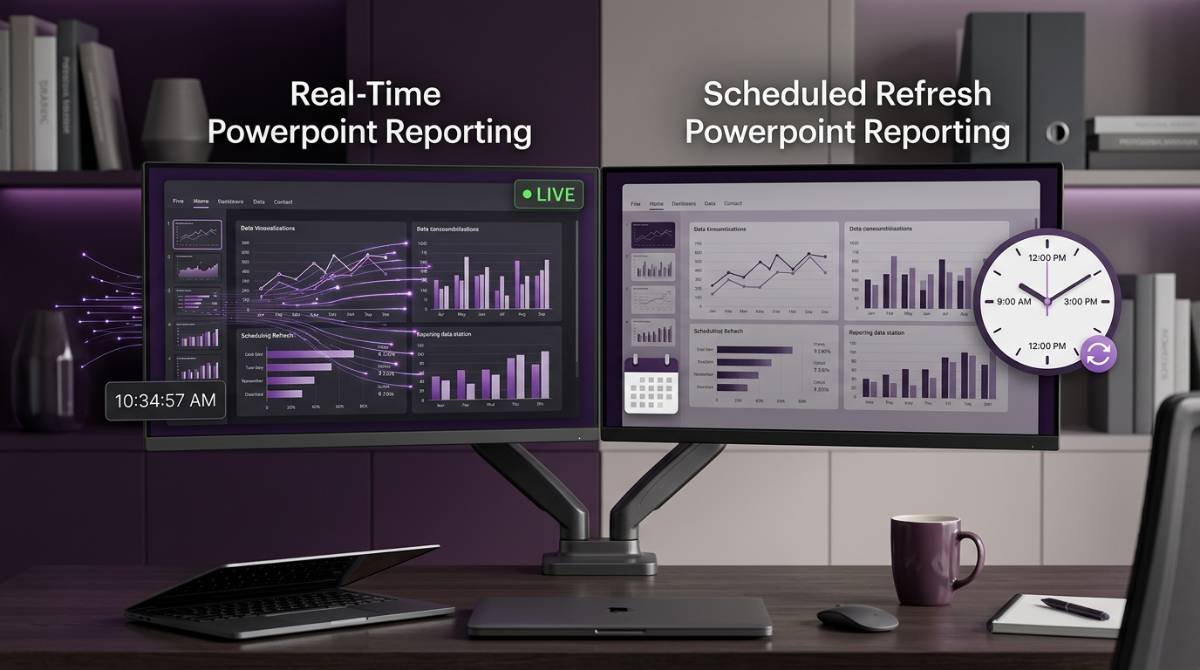
- Real-time refresh: slides reflect the latest available data at the moment of opening or presenting (useful when audience interaction is high and any virtual participant may ask for the latest number).
- Scheduled refresh (approved snapshot): slides are refreshed on a cadence, validated, and published as a controlled version.
INSYNCR is designed to keep PowerPoint as the deliverable while making slides data-connected and refreshable—an easy way to reduce manual work without changing how executives consume the deck. If you’re new to the concept, start with the INSYNCR solution overview and the data-source details in the FAQ.
The decision framework: 5 questions that determine the right refresh model
1) What is the cost of being wrong?
If stale or inconsistent numbers create reputational risk (board meetings, client reporting, earnings prep), a controlled snapshot is often the better model.
In those environments, “always updating” can become a liability:
- Numbers shift during review.
- Stakeholders debate which version is “the truth.”
- Approvals become difficult to document.
2) What is the cost of being late?
If the primary pain is the time spent producing the deck (weekly ops reviews, plant performance, pipeline reviews), then real-time or near-real-time refresh can remove hours of manual work.
The goal becomes: the deck is always ready, because the slides are already connected to the data—especially when the same deck gets reused across work gatherings throughout the season.
3) Do stakeholders expect a narrative, or a dashboard?
Executive decks are usually narrative-driven:
- “Here’s what happened.”
- “Here’s why.”
- “Here’s what we’ll do next.”
Dashboards are exploration-driven.
If your deck is narrative-first, a scheduled snapshot provides stability while still benefiting from automation—so the team can focus on the story, not last-minute content edits.
4) How governed are the metric definitions?
If KPI definitions are stable and centrally owned, real-time is more feasible.
If definitions change frequently (or are disputed), a snapshot model reduces friction and preserves decision integrity.
5) How complex is the data supply chain?
The more steps between source data and the slide (SQL → transformations → model → output), the more value you get from scheduled refresh and validation.
This is especially true when:
- Data is delayed by upstream jobs
- Warehouses have refresh windows
- Teams rely on manual adjustments or commentary overlays
Real-time refresh: benefits, risks, and best use cases
Benefits
- Fastest time-to-deck: no manual copy/paste and minimal “deck assembly” work
- Always current: useful for operational meetings and fast-moving KPIs
- Great for multi-audience reporting: each audience can open the latest version (even if they’re on Microsoft Teams, on teams pcs, or joining from a phone)
Risks
- Numbers can shift mid-review
- Harder approvals: “the deck” is a moving target
- Security prompts and blocked external content can interrupt the workflow in some environments (including locked-down devices running OneNote Microsoft Edge setups)
Microsoft notes that Office applications may block external content by default as a security measure (which can affect linked data updates), as discussed in Microsoft Q&A threads like: Embedded Excel links in PowerPoint.
Best use cases
- Weekly ops reviews
- Manufacturing performance reporting
- Sales pipeline / RevOps rollups
- Internal dashboards delivered as slides
- Fast-moving meeting formats where audience interaction tools (like slido) are used to field questions in real time
Scheduled refresh (approved snapshot): benefits, risks, and best use cases
Benefits
- Stable narrative: reviewers see the same numbers across the review cycle
- Auditability: easier to track what was approved and when
- Lower meeting risk: avoids surprises from last-minute data shifts (and helps protect executive confidence, engagement, and retention of trust)
Risks
- You must operate a cadence (refresh window, validation step, publish step)
- Stakeholders may ask why numbers differ from “today’s dashboard”
Best use cases
- Board and executive packages
- Client reporting where the deck is a deliverable
- Compliance-sensitive reporting
- Monthly/quarterly business reviews
- External-facing sessions like a conference audience briefing or cme – continuing medical education readouts where version control matters
How INSYNCR supports both models in PowerPoint
INSYNCR connects PowerPoint to live data sources (Excel, SQL, Salesforce, SharePoint, Google Sheets, APIs, and more), then automates the process of populating and refreshing slides—without forcing teams to abandon PowerPoint.
Key capabilities relevant to refresh models include:
- Connect your deck to data sources via an in-PowerPoint workflow
- Automate report generation and export to PowerPoint, PDF, or MP4
- Scale outputs across many entities (client/site/region) while keeping the template controlled—so every virtual participant sees the same story, whether delivered over microsoft teams, skype, or in-person
See: INSYNCR homepage and Solution.
If you want to see how a data connection is set up in practice, start here: Setting up your first data connection in INSYNCR.
Plan capabilities (including team roles) are detailed on Pricing.
For enterprise rollouts, teams often also ask about professional services technical support, governance, and operational handoff (including references like optionpower software product documentation faqs). In evaluation cycles, you may see adjacent categories such as erm optionpower special features, erm optionpower special features market research, market research optionpower special features employee perception surveys, surveys optionpower special features town meetings, and optionpower special features self assessment – csa—especially when the “deck” is part of a broader listening program rather than a pure reporting workflow.
Recommended operating model for executive decks (what works in the real world)
Many enterprise teams succeed with a hybrid:
- Real-time during build (rapid iteration while the story is formed)
- Scheduled snapshot for distribution (stable, approved version for the meeting)
This preserves speed without sacrificing trust—and reduces the temptation to improvise with group games or last-minute “delight” slides that distract from decisions.
Next step: choose your model, then pilot one deck
The fastest way to decide is to pilot one recurring deck with:
- A clear refresh expectation (real-time or scheduled)
- A controlled data source
- A template owner and a data owner
- A publish cadence
If you want help mapping your current workflow to the right refresh model, reach out via the INSYNCR contact page.
If you’re building the business case internally, this context helps: The hidden costs of manual data-to-presentation workflows.
(If you’re coordinating rollout stakeholders, you may also get IT-oriented questions that sound like 365 admins small business portal developer education report requests—those are usually about deployment, permissions, and operating process rather than the slide automation itself.)