 Skip to content
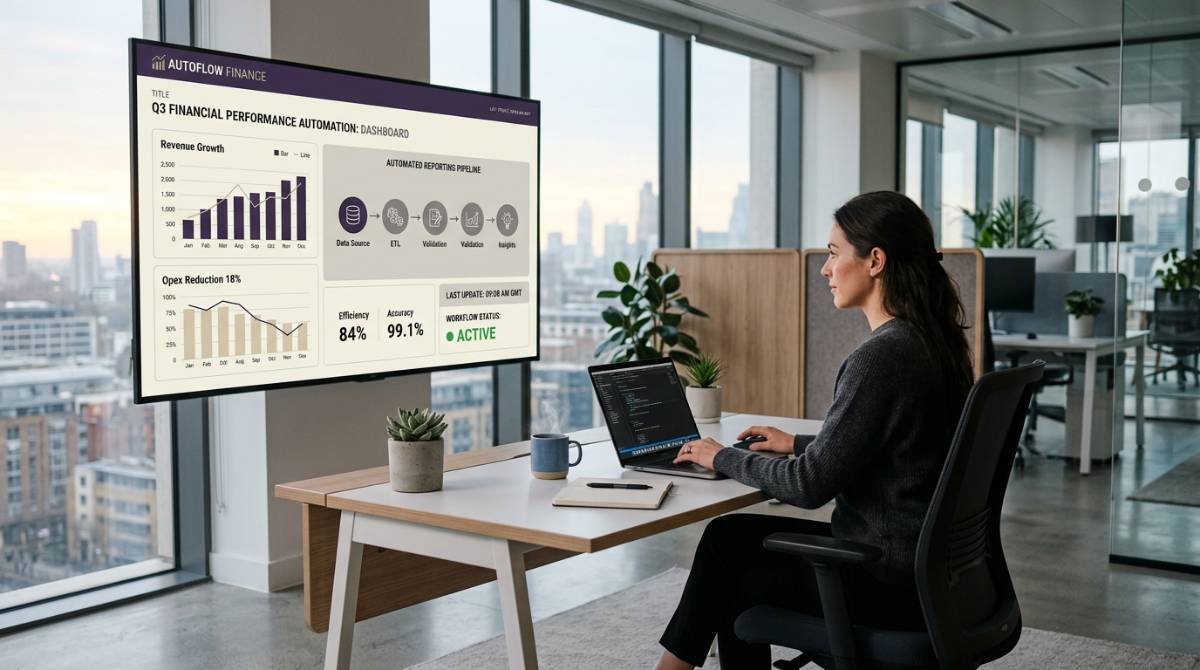
Finance teams don’t lose time because they “lack dashboards.” They lose time because executive communication still runs through slides.
Every month, quarter, and board cycle, the same pattern shows up:
- Source data is finalized in multiple systems (ERP, GL, and spreadsheets).
- Numbers are copied into PowerPoint.
- Tables get reformatted.
- Charts get rebuilt.
- Someone notices a mismatch.
- The deck gets re-sent.
That workflow is not just slow. It’s risky—especially when you’re dealing with high-volume data, tight governance expectations, and external compliance standards.
This is where financial presentation software should help: by turning slides into a governed output layer that stays connected to approved financial data—without removing the human judgment finance needs.
In this article, we’ll cover what to automate, what not to automate, and the operating model that prevents “deck chaos” at scale.
What finance leaders usually mean by “financial presentation software”
When CFO teams search for financial presentation software (and sometimes the best financial reporting software), they’re typically trying to solve one (or more) of these problems:
- Board reporting: consistent, audit-friendly decks with a clean approval trail for the boardroom.
- Month-end and quarter-end reporting: fewer late nights rebuilding the same slides.
- Executive updates: fast refreshes when numbers change.
- Standardized KPIs: one definition of revenue, margin, ARR, CAC, etc.
- Distribution control: the right people get the right view at the right time.
Some tools approach this from the “financial statement automation” angle (production of key statements and narrative in reporting packages like the income statement, balance sheet, and cash flow statement). Others approach it from BI dashboards.
INSYNCR approaches it from the place where finance communication actually happens: making PowerPoint a live reporting engine that stays connected to data and can be refreshed and generated on demand—supporting real-time insights without turning reporting into a dashboard-only workflow. See the core positioning on the INSYNCR homepage.
What you should automate (high ROI, low risk)
1) Data refresh into slides (eliminate copy/paste)
The biggest near-term win is removing manual transfer between source systems and the deck—and reducing the accuracy risk that comes with rekeying and reformatting.
Automate:
- KPI tables (actuals vs budget vs forecast, including cash flow forecasting views if you publish them monthly)
- Variance bridges
- Segment performance tables
- Regional rollups
- “Top 10” customer/product lists
When slide objects remain connected to approved sources, the deck becomes easier to govern and faster to update, improving speed, clarity, and stakeholder confidence.
If you’re standardizing this capability across teams, it helps to anchor the workflow around a single explanation of how INSYNCR works: connect data sources to slide templates and refresh as needed. The product overview on the INSYNCR pricing page and the feature summary on the homepage are good internal references to link from your finance content.
2) Repeatable slide templates (standardize board-ready output)
Automation breaks when every deck is custom.
High-performing finance teams use a repeatable template system with:
- Consistent KPI definitions
- Consistent formatting (colors, fonts, number formatting)
- Stable chart layouts
- A predictable narrative structure (for compelling story-driven reports, not data dumps)
INSYNCR is designed to keep teams inside PowerPoint while adding automation capabilities like conditional formatting and data refresh, so the template becomes the “system” instead of a one-off file. For broader automation context, see automated reporting software.
3) Bulk generation for entities, departments, or portfolios
If you generate one deck per business unit, portfolio company, region, cost center, or client, the economics shift dramatically.
Automate:
- One template → many generated outputs
- Controlled naming conventions
- Scheduled or trigger-based generation (depending on your process)
This is especially relevant for:
- Private equity operating reviews
- Multi-entity reporting
- Consulting/finance advisory deliverables
- Complex business scenarios where the same narrative structure must repeat across many slices
4) Visual emphasis and exception highlighting
Finance readers don’t want more data—they want the “what changed?” signal.
Automation is ideal for:
- Threshold-based highlighting (red/amber/green)
- Conditional formatting for outliers
- Standard annotations (e.g., “material variance” flags)
This reduces time spent scanning and reformatting, and increases decision velocity through faster analysis.
5) Distribution workflows that don’t create version chaos
Version chaos is usually caused by:
- multiple manual exports
n- email threads with conflicting attachments
n- last-minute changes without clear ownership
While the exact distribution method differs by organization, your reporting system should support:
- clear file ownership
n- controlled refresh permissions
n- repeatable output paths (PowerPoint/PDF)
INSYNCR’s licensing model differentiates between creators and viewers, which can help separate “who edits the template” from “who consumes refreshed outputs.” For background, link to FAQ and Contact for implementation discussions.
What you should not automate (high risk, low trust)
Automation succeeds in finance when it respects two realities:
- Some decisions are accounting judgments, not calculations.
- Board and executive communication is a narrative, not a data dump.
Here are areas that should remain human-controlled.
1) Accounting judgment and policy decisions
Examples:
- Revenue recognition decisions
- Reserve methodologies
- One-time adjustments (and how they’re presented)
- Materiality judgments
Your system can automate the display of approved outputs, but the decision itself must remain owned, reviewed, and documented.
2) The narrative and the “so what”
Data can populate slides. It cannot decide what leadership needs to hear.
Keep humans responsible for:
- the storyline (what changed, why it changed, what you’re doing)
- the risks and mitigations (including sustainability updates if they’re part of your board pack)
- cross-functional coordination (Sales, Ops, Product, and other business functions)
The highest leverage model is “automation for the facts, humans for the story.”
3) Approvals and sign-off
In regulated or audit-sensitive environments, approvals are not a UI feature—they’re a control.
Automation should support a clean workflow, but the sign-off needs to be explicit:
- who approved the numbers
- when they were approved
- which period/version they apply to
This is where assurance financial reporting practices matter: not just producing outputs, but proving how they were produced.
4) Metric definitions (unless governance is already mature)
If your organization still debates KPI definitions, automating slide output can amplify disagreement.
Before automating at scale, align:
- definitions
- time windows
- inclusions/exclusions
- transformation logic
Once the definition is stable, automation becomes a force multiplier.
A practical operating model for “live” financial presentations
If you want financial presentations that refresh quickly but remain audit-friendly, treat the deck like a governed product—especially if you’re pursuing integrated reporting (blending financial and operational narratives into one consistent executive view).
Step 1: Define the system of record for each metric
A simple table works well:
- KPI name
n- source system
n- refresh cadence
n- owner
n- transformation notes
n- approval owner
This is also where you clarify data collection steps, including whether you’re pulling from ERP/GL systems, a data warehouse, or an in-memory engine in your analytics stack.
Step 2: Build a controlled template library
Avoid “everyone has their own deck.” Instead:
- maintain one board template
n- one monthly operating review template
n- one earnings-ready template (if relevant)
Then adapt via controlled variants—using standardized report templates and consistent formatting rules.
Step 3: Separate creator permissions from consumer permissions
This is where many teams reduce risk:
- a small group maintains templates and data connections
n- broader stakeholders consume refreshed views
INSYNCR is built for teams with different roles, which makes it easier to scale without losing control. See pricing and license roles.
Step 4: Validate before you distribute
Even with automation, you need a predictable control step.
A lightweight validation checklist:
- totals tie out to finance system extracts
n- period labels correct
n- currency and units consistent
n- exceptions explained
n- final deck exported and archived
For a more governance-focused view, you can also reference the product’s evolution and focus on reporting capabilities in the INSYNCR product updates.
How to choose the right financial presentation software (a CFO-ready checklist)
Use this checklist in vendor evaluation—especially if you’re comparing modern financial reporting software that claims to deliver “all-in-one” outcomes (or in-one reporting) across planning, reporting, and presentations.
Data integration and refresh
- Can it connect to the systems you actually use (Excel, SQL, Salesforce, SharePoint, Google Sheets, etc.)?
- Can you refresh quickly without rebuilding slides?
- Can you limit refresh/edit access by role?
Template integrity
- Does it preserve PowerPoint formatting?
- Can it generate multiple outputs from one template?
- Can it highlight exceptions automatically?
Governance and audit readiness
- Can you document sources and transformations?
- Does your workflow support explicit approvals?
- Can you maintain a clean archive of distributed outputs?
Adoption and operating cost
- Do finance users stay in tools they already know?
- How much change management is required?
If your organization is PowerPoint-centric (most are for board communication), a “PowerPoint-native” approach often reduces adoption risk versus forcing a new reporting layer.
Common pitfalls (and how to avoid them)
Pitfall 1: Automating a broken process
If close is inconsistent, your deck will refresh inconsistently.
Fix:
- define the close calendar
n- define cutoffs
n- align on owners
For month-end process context, you can align your internal operations language with best-practice resources like Tipalti’s overview of the month-end close process: month-end close process guide.
Pitfall 2: Building a “Franken-deck”
Too many stakeholders editing a single deck creates broken formatting and unclear ownership.
Fix:
- lock templates
n- separate “content owner” from “template owner”
Pitfall 3: Treating governance as optional
If executives don’t trust the numbers, speed doesn’t matter.
Fix:
- embed validation and sign-off steps
n- document sources and transformations
Where INSYNCR fits
If you want to eliminate manual updates while keeping the finance team in control, INSYNCR is designed to:
- connect slide objects to live data sources
- refresh reports quickly without copy/paste
- generate outputs at scale from templates
- keep PowerPoint as the controlled delivery format
To see how this connects to broader reporting automation, start with automated reporting software and then review security/governance questions in the FAQ.
When you’re ready to map your finance reporting workflow (sources, cadence, templates, distribution), reach out via the Contact page.
Next steps: a fast path to value in 14 days
If you want a practical rollout plan:
- Pick one recurring deck (e.g., monthly operating review)
- Identify 8–12 slides that are mostly data-driven
- Standardize sources and definitions
- Build the template once
- Run two reporting cycles and compare:
- time to update
- error rate
- number of late-stage revisions
That’s usually enough to decide whether to scale across board reporting, departments, or portfolio reporting—while building a connected planning approach for the future.