 Skip to content
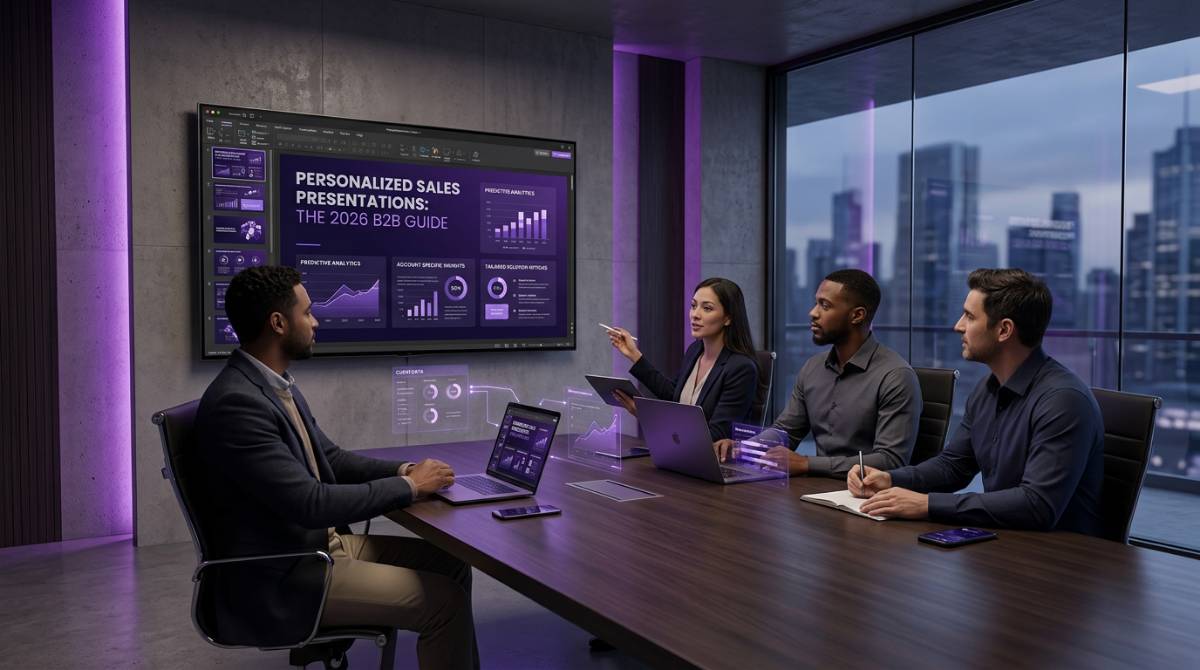
Introduction: Why Personalized Sales Presentations Matter in 2026
In 2026, buyers expect more than a polished slide deck. They expect you to know their business, their challenges, and their goals before you even open your mouth. Personalized sales presentations have become the dividing line between sales teams that close deals and those that get ghosted after the first meeting.
This guide is designed for B2B sales teams, sales enablement leaders, and marketing professionals looking to improve their sales presentation outcomes through personalization. We’ll cover the definition of personalized sales presentations, why they matter, how to research and design them, common pitfalls, automation tools, and practical steps to get started.
The Power of Personalization: Building Trust, Engagement, and Results
Personalized sales presentations build trust and engagement with buyers. Personalization not only builds trust, engagement, and ultimately customer satisfaction in sales presentations, but it can also lead to higher win rates and stronger customer relationships. By creating powerful emotional connections and driving stronger engagement with your target audience, personalized presentations set the stage for more meaningful conversations and successful outcomes.
What Is a Personalized Sales Presentation?
A personalized sales presentation is a deck and accompanying conversation tailored to a specific account, buying committee, and moment in the sales cycle. It differs fundamentally from a generic slide deck or a quick sales pitch by incorporating prospect-specific data, pain points, metrics, and role-relevant messaging.
Personalizing the buyer experience means tailoring communications to accurately address the needs, pain points, and challenges of a customer. Sales presentations should address the specific needs and pain points of the audience. Using client-specific data in presentations demonstrates a level of customization that addresses unique challenges and goals.
Consider two scenarios from 2025:
-
A SaaS demo for a European retail prospect features localized churn benchmarks, GDPR-compliant data flows, and case studies from similar regional players.
-
The same product presentation for a US manufacturing CFO emphasizes ROI calculations tied to supply chain efficiencies pulled from their recent 10-K filings.
Same product or service. Completely different presentations.
Elements ripe for personalization include messaging, data visualizations, case studies, pricing scenarios, implementation timelines, KPIs, and even subtle branding adaptations. For teams running recurring QBRs or monthly business reviews, personalization means auto-inserting the latest performance metrics—adoption rates from January-March 2026, pipeline velocity from prior sales calls, or NPS trends by quarter.
Why Personalization Is the Key to Sales Success
Tailored presentations build trust because they demonstrate deep understanding. When a buyer sees their own data, their own challenges, and their own industry context reflected in your slides, they feel seen. Referencing the company’s history—such as key milestones or recent achievements—can further build credibility and show you’ve done your homework on their business. This isn’t theoretical—research shows personalized experiences boost sales by 19-80% in web and email contexts, with B2B personalization linked to 21% average win rates in 2024.
The emotional impact matters, especially with millennial and Gen Z stakeholders who now comprise growing portions of buying committees. These buyers grew up with algorithmic personalization; they expect the same from their vendors. Including social proof, such as testimonials or case studies, in your sales presentations enhances credibility and helps persuade prospects by showing real-world results. Studies indicate 52% report higher satisfaction and 60% become repeat customers post-personalized interactions.
Personalization also positions salespeople as consultants rather than vendors. Instead of presenting your company’s history, you’re demonstrating how you solve their specific challenges. In complex, committee-based deals, this means CFO slides focused on risk-adjusted ROI, COO visuals on operational timelines, and VP Sales charts on quota attainment—each stakeholder receives relevant information that matters to their role.

Understanding Your Audience: The Foundation of Personalization
Understanding your audience is crucial for creating effective sales presentations. Empathy plays a crucial role in understanding your audience’s unique challenges. By understanding your audience’s goals and pain points, you can tailor your solutions effectively. Sales presentations should address the specific needs and pain points of the audience.
Segmentation: Role and Industry
Segmentation happens across two dimensions: role (C-level strategic, operations, finance, technical user) and industry (SaaS, private equity, retail, manufacturing). Each combination requires different language, examples, and success stories.
Researching Buyer Personas and Key Accounts
Limit your core buyer personas to 3-5 that your sales and marketing teams encounter most frequently. For a 2026 SaaS company, these might include:
| Persona | Key Focus Areas | Preferred Visuals |
|---|---|---|
| VP of Sales | Pipeline conversion, quota attainment, deal velocity | Funnel charts, conversion metrics |
| PE Portfolio Manager | Risk-adjusted returns, investment timeline | ROI models, portfolio comparisons |
| Group FP&A Director | Cash flow impact, budget alignment | Financial projections, cost breakdowns |
Research steps include:
-
Reviewing job descriptions for priority metrics
-
Scanning industry reports for benchmark data
-
Listening to earnings calls for strategic priorities
-
Studying competitor case studies for what resonates
For key accounts, build micro-personas per stakeholder. Your CFO deck differs from your COO deck, even within the same company. Actively listening during discovery calls reveals which talking points matter to each person.
Leveraging CRM Data and Past Interactions
Your CRM (Salesforce, HubSpot, or Dynamics) contains gold for personalization. Sales teams in 2024-2026 track interactions via fields like:
-
Account name and segment
-
ARR_2025 and Pipeline_Q2_2026
-
Adoption rates and NPS scores
-
Pilot results and support ticket themes
-
Last meeting date and key objections
This customer data populates slides showing client-specific trends—“your January-March 2026 usage increased 15%”—without manual copy-paste errors. Past QBRs, pilot results, and support tickets transform into bespoke narratives that reference what the client actually experienced.
The critical shift: use automated data connections rather than manual exports. When your slide deck pulls live from Salesforce, your next month’s deck refreshes without rebuilding.
Identifying Pain Points, Goals, and Buying Triggers
Systematically collect pain points from discovery calls, win/loss notes, and customer interviews. Map each pain point to specific solution elements:
-
“Slow month-end close” → automation demo slide
-
“Pipeline visibility gaps” → real-time dashboard example
-
“Inconsistent reporting across regions” → centralized template case study
Understanding the buyer’s timing matters equally. A retail CFO preparing for Q4 2026 inventory planning needs different emphasis than one closing books for fiscal year-end. Buying triggers like funding rounds, product launches, or leadership changes inform when and how you present.
Example scenario: A February discovery call reveals a manufacturing prospect’s pain around manual inventory reconciliation. Your personalized deck includes a before/after chart projecting 20% efficiency gains by Q4 2026, directly referencing their stated challenge.
Crafting an Opening Hook That Feels Personal
The first 60-90 seconds determine whether your audience leans in or checks out. Your opening hook should signal “this is about you” rather than “here is our company’s history.”
Effective hook formats include:
-
Client-specific metric: “Last quarter, your team’s pipeline velocity slowed to 45 days. Here’s how we’ve helped peers cut it to 30.”
-
Recent milestone: “Congratulations on the March 2026 product launch—let’s discuss how to capitalize on the momentum.”
-
Prior conversation reference: “Building on our January discovery call about RFP delays, we’ve mapped out a targeted solution.”
Pull archived performance data or opportunity data for concrete hooks. Reference prior documents—an RFP from February 2026 or notes from a January sales call—to demonstrate you’ve done your homework.
Designing Personalized Content: Industry, Role, and Story
Transforming research into actual slide changes requires a systematic approach. The most effective model: a modular master deck where 70% remains consistent (core narrative, branding, product overview) and 30% gets swapped or populated for each prospect.
Industry-specific benchmarks matter. Retail churn rates (25-35%) differ dramatically from SaaS benchmarks (10-20%). Role-specific KPIs vary too—CFOs want cost savings and payback periods; CMOs want campaign ROAS; VPs of Sales want pipeline conversion visuals.
Make the prospect the main character. Frame slides around their journey from current state (2024-2025 challenges) to future state (2026 targets achieved with your solution).
Tailoring Slides by Industry and Segment
Build industry-specific slide variants that you update annually:
| Industry | Elements to Customize |
|---|---|
| Financial Services | Regulatory references, compliance timelines, risk frameworks |
| Manufacturing | Supply chain case studies, production efficiency metrics, implementation timelines |
| SaaS | ARR growth benchmarks, customer acquisition costs, churn reduction stories |
| Retail | Seasonal planning cycles, inventory optimization, omnichannel examples |
Swap logos on case study slides to feature recognizable peers. Reference dated stats—“2025 Gartner report” or “2024 McKinsey survey”—to demonstrate current industry understanding. Maintain on-brand design through locked templates while allowing vertical-specific content and imagery.
Adapting the Narrative to Roles in the Buying Committee
Build “paths” through your deck for different roles in the same meeting. Structure slides so sales reps can easily skip or reorder depending on who joins the call.
CFO-focused slide: Business case with payback period under 12 months, risk-adjusted ROI, and total cost of ownership breakdown.
Operations-focused slide: Workflow screenshots, day-in-the-life story, implementation timeline with clear milestones.
VP Sales-focused slide: Pipeline dashboard, conversion rate improvements, quota attainment comparisons.
In one presentation, you might spend 10 minutes on the CFO track when the finance lead is present, then pivot to operations content when the COO joins late. Role relevance beats deck length every time.
Visual Storytelling and Making the Prospect the Hero
Transform static feature lists into stories with clear structure:
-
Beginning: Current pain (documented from discovery)
-
Middle: Implementation journey with your solution
-
End: Measurable outcomes by a specific date (Q3 2026 revenue +15%)
Use timelines, before/after charts, and process diagrams filled with client-specific data. Select case studies that mirror the prospect’s situation—same region, similar company size, comparable business model—with concrete dates and numbers.
Avoid generic stock imagery. Use real, current visuals that stay within brand guidelines and demonstrate value through concrete examples.

Sales Process Optimization for Personalized Presentations
Optimizing your sales process is the foundation for delivering truly personalized sales presentations that resonate with every prospective customer. A streamlined sales process empowers sales reps to efficiently gather and analyze customer data, ensuring that each presentation is tailored to the specific needs, pain points, and objectives of the target audience. By embedding personalization into every stage—from initial outreach to final pitch—sales teams can create presentations that address unique challenges and deliver relevant information that matters most to each prospect.
To achieve this, start by mapping out your ideal sales process with personalization in mind. Ensure that every touchpoint—discovery calls, needs assessments, and follow-ups—captures valuable insights about the customer’s business, industry, and goals. Use these insights to inform the creation of personalized content that speaks directly to the prospect’s situation. Leverage tools and technologies that automate data collection and content customization, so your sales reps can focus on building stronger customer relationships rather than spending hours on manual tasks.
By making personalization a core part of your sales process, your team will be better equipped to create sales presentations that not only engage but also convert. The result? More relevant presentations, deeper connections with customers, and a higher likelihood of closing deals.
The Manual Reality: Work and Time Needed to Personalize by Hand
Let’s break down the typical manual workflow for creating personalized content in 2024-2025:
| Step | Task | Time Required |
|---|---|---|
| 1 | Export data from CRM/Excel | 10-15 minutes |
| 2 | Clean and format spreadsheet | 20-40 minutes |
| 3 | Create/update charts in PowerPoint | 30-60 minutes |
| 4 | Brand alignment and formatting | 15-30 minutes |
| 5 | Quality check and version control | 15-20 minutes |
| Total per deck | 1.5-3 hours |
For QBRs with board-level detail, add another 2-3 hours. Now scale this: a sales manager needing 40 account-specific QBR decks in March 2026 faces 60-120 hours of prep work. That’s 2-3 full work weeks spent on slide formatting instead of selling.
This scales poorly for multi-country sales orgs, private equity firms reviewing portfolio companies, or agencies managing multiple clients that still depend on manual data-to-presentation workflows. The math simply doesn’t work.
Disadvantages and Risks of Manual Personalization
Beyond time consumption, manual workflows create real business risks:
Human error: Outdated February data appearing in April 2026 QBRs. Wrong client names pasted into the wrong decks. Broken formulas from repeated copy-paste operations. Research shows 96% of organizations struggle with personalization execution.
Version control chaos: “Final_v7_March2026” files multiplying across shared drives. Reps presenting from outdated versions mid-meeting. No single source of truth.
Brand inconsistency: Under deadline pressure, sales reps build their own slides with inconsistent fonts, colors, and layouts. The marketing team’s carefully designed templates fall apart.
Opportunity cost: Senior sellers spend hours formatting slides instead of prospecting, conducting discovery calls, or building stronger customer relationships. This represents time that could directly generate revenue spent on administrative tasks.
Consider a real-world scenario: An FP&A team presents February data in an April 2026 QBR because someone forgot to update the Excel link. The buyer notices. Trust erodes. The deal stalls.
Automating Personalized Sales Presentations with INSYNCR
INSYNCR is a PowerPoint plugin that connects slides to live data sources—Excel, SQL, Salesforce, Google Sheets, JSON/XML, and more. Instead of manual copy-paste, teams build a single, on-brand master template and let INSYNCR auto-populate client-specific data, charts, and text for each presentation.
From Data Sources to Live, Personalized Slides
INSYNCR connects to the data sources your sales team already uses:
-
Excel workbooks with pipeline data
-
SQL databases for product usage metrics
-
Salesforce reports for opportunity and account information
-
Google Sheets for collaborative tracking
-
JSON/XML APIs for real-time integrations
Map data fields like “AccountName,” “ARR_2025,” and “Pipeline_Q2_2026” to placeholders in PowerPoint text boxes, tables, and charts. Once mapped, a sales QBR template pulls each client’s usage, NPS, and expansion pipeline from live data.
The game changer: updating for the next month or quarter means refreshing, not rebuilding. No more export-clean-paste cycles.
Template-Driven Personalization at Scale
Marketing or sales operations designs a single master deck with placeholders for client name, logo, industry benchmarks, KPIs, and date ranges. INSYNCR iterates through a list of accounts and outputs a separate, fully personalized presentation per account automatically.
Batch scenario: Generate 80 Q2 2026 QBR decks overnight as PPTX and PDFs for a global sales kickoff. Each deck contains account-specific metrics, tailored case studies, and personalized video exports for async follow up—all produced while you sleep.
Templates enforce brand guidelines, so every output meets marketing’s standards by default. No more rogue slides with incorrect fonts.
Automation Advantages Over Manual Work
The benefits translate directly to measurable outcomes:
-
Hours saved per deck: What took 2-3 hours now takes minutes
-
Fewer errors: Live data connections eliminate stale information
-
Consistent storytelling: Every presentation follows the approved narrative arc
-
Instant updates: When data changes, all connected decks refresh automatically
INSYNCR supports PPTX, PDF, and MP4 export formats, enabling both live sales calls and asynchronous personalized video outreach; you can deepen this with step-by-step software guides for data-driven PowerPoint automation. Collaboration improves when teams share a single, central template and data model instead of fragmented slide versions scattered across drives.
Avoiding Common Mistakes in Personalized Sales Presentations
Delivering impactful personalized sales presentations requires more than just swapping out a logo or adding a prospect’s name to a slide. One of the most common mistakes sales reps make is failing to actively listen to their prospects during discovery, which leads to missing the real pain points and specific needs that should shape the presentation. Another frequent pitfall is defaulting to a generic sales pitch, rather than customizing the content to address the unique challenges and objectives of each prospect.
Additionally, using overly technical language or industry jargon can alienate your audience, making it harder for them to see the value in your solution. To avoid these mistakes, sales teams should prioritize clear communication, focus on the prospect’s concerns, and ensure every presentation is tailored to the individual or buying committee in the room.
Continuous improvement is key. Provide regular training and feedback for your sales reps, encourage the use of customer feedback and testimonials, and leverage data to inform your approach; INSYNCR’s reporting automation resources and product updates can help teams stay current on best practices. By staying vigilant about these common mistakes and committing to a truly personalized sales process, your team will deliver presentations that connect, persuade, and drive results.
Overcoming Objections with Personalization
Objections are a natural part of the sales process, but personalized sales presentations can turn them into opportunities. When sales reps demonstrate a deep understanding of a prospect’s pain points and unique challenges, they can proactively address concerns before they become roadblocks. Personalization allows you to present relevant case studies, success stories, and data that directly relate to the prospect’s situation, making your product or service more credible and compelling.
Interactive elements—such as live demos, personalized video, or dynamic data visualizations—can further engage prospects and help clarify how your solution addresses their specific needs; drawing on real-world INSYNCR success stories makes these examples even more credible. By tailoring your response to each objection with personalized content and real-world examples, you show that you’re not just selling a product, but offering a solution that fits their business.
The key is preparation: use the data and insights gathered throughout the sales process to anticipate objections and have relevant, personalized answers ready. This approach not only demonstrates value but also builds trust, making it easier to move deals forward.
Practical Tips to Get Started with Personalized, Automated Sales Presentations
Here’s a simple step-by-step roadmap for your first 30-60 days, which you can complement with in-depth PowerPoint automation tutorials:
-
Pick one recurring presentation type (monthly sales review, quarterly QBR, prospect demo)
-
Identify your data sources (which CRM fields, which Excel sheets)
-
Design a master template with placeholders for variable content
-
Connect with INSYNCR and map your data fields
-
Test with 3-5 accounts before broader rollout
Start small—one team, one region, one vertical—before expanding globally. Define governance practices: who owns templates, who approves metrics, how often data connections get reviewed, and lean on the INSYNCR help center and technical resources as your process matures.
Track time saved and error reductions over the first 1-2 quarters. This builds your internal business case for broader automation investment and demonstrates value to leadership.
Follow-up and Next Steps After the Presentation
The work doesn’t end when the presentation does—effective follow-up is critical to keeping the sales process moving and closing more deals. After delivering a personalized sales presentation, sales reps should reach out with tailored follow-up communications that reinforce the key points discussed and address any outstanding questions or concerns. This could include sending a personalized email recap, sharing a short video summary, or providing additional resources that speak directly to the prospect’s specific needs.
Scheduling a follow-up meeting or call to discuss next steps shows commitment and keeps the conversation focused on the prospect’s objectives. Use this opportunity to gather feedback, clarify any uncertainties, and further personalize your approach based on the prospect’s responses. By making your follow-up relevant and valuable, you demonstrate that you’re invested in their success—not just your own.
Personalized follow-up helps build stronger relationships, keeps your solution top-of-mind, and significantly increases the likelihood of closing deals.
Measuring Success: Metrics for Personalized Sales Presentations
To continually improve your personalized sales presentations and sales process, it’s essential to track the right metrics. Start by measuring engagement rates—such as email open and click-through rates for follow-up communications—to gauge initial interest. Conversion rates from presentation to next step, and ultimately to closed deals, provide a clear picture of effectiveness.
Customer satisfaction scores and net promoter scores (NPS) offer valuable feedback on how well your presentations meet the needs of your prospects and clients. Use CRM and marketing automation tools to collect and analyze customer data, identifying which personalized elements drive the most engagement and success.
By regularly reviewing these key metrics, sales teams can pinpoint what’s working, uncover areas for improvement, and refine their approach to personalized sales presentations, much like finance teams using automated reporting resources for accuracy and speed. This data-driven mindset ensures your presentations remain relevant, impactful, and aligned with your goal of closing more deals.
Conclusion: Standing Out with Smarter Personalization
One presentation fits all no longer works in complex B2B deals. Buyers in 2025-2026 are data-savvy, time-poor, and expect you to demonstrate understanding of their unique challenges before asking for their business.
The contrast is stark: outdated manual workflows drain hours from your sales process while producing inconsistent, error-prone decks. Modern, automated personalization through tools like INSYNCR transforms existing content into dynamic, personalized presentations that help sales professionals close deals faster.
Teams that industrialize personalized sales presentations will win more deals, waste less time, and build stronger client relationships. The question isn’t whether to automate—it’s how quickly you can start; review the INSYNCR pricing and subscription plans to choose the right tier for your team.
Ready to see the difference? Start your free 7-day INSYNCR trial and test it on your next upcoming sales presentation or recurring report, and if you have specific questions or enterprise needs, contact the INSYNCR team directly. Your prospects—and your sales team—will notice the difference.