 Skip to content
Three hundred personalized documents from one template, in one click.
The graduation deck, the certificate, the one file per student: one template in Microsoft PowerPoint, one list in Excel or your student system, and Snapshot makes every version. PowerPoint, PDF or MP4, named per record, ready for the ceremony.
Also called: mail merge PowerPoint, automate graduation certificates, one PowerPoint per student, bulk PowerPoint from Excel.
No credit card · Your data stays on your PC · Windows, Office 2016+

Link once. Refresh forever.
One template
Design the slide once in PowerPoint: the name, the program, the date, the photo, each bound to a column.
One list
Excel, Excel Online or the export from your student system. Add a row, and there is one more document.
Snapshot
One file per record, PowerPoint, PDF or MP4, or one long deck with a slide per person for the ceremony screen.
What it looked like before, and after.
“One person now handles the layouts and the connections, and anyone can generate a report.”Nora H., Program Director, higher education: 34 to 50 graduations a year.
“A 250 slide graduation slideshow in seconds.”Dennis W., Director of Technology.
Your sources, your template, your reviewers
- Your student or member list, wherever it lives
- Your ceremony template and your brand
- The person who checks the names before it prints
The rebuild
- No one retypes three hundred names
- The late registration is one more row, not one more evening
- Certificates and the ceremony deck come from the same list, so they agree
AI can draft your deck. It cannot promise that slide 4 matches the ledger.
A generated number is a guess that reads well. A bound number is a cell, a query or a field you can point at, inspect and explain to someone who cannot read code. When the report has a consequence, that difference is the product.
Fluent, and unaccountable
Ask an assistant for the quarterly pack and you get a plausible deck. Nobody can tell a correct rule from a convincing wrong one, and a report generated for the wrong client is a perfectly correct report. Nothing downstream detects it.
Every number has an address
Each figure, chart and table in the slide is linked to the exact cell, view or field it came from. Refresh brings the new data through the same link. The reviewer checks what changed, and the auditor can follow the line back.
Use Copilot to write the commentary. Use INSYNCR to make sure the numbers under it are real.
Nothing leaves the building.
Runs on the user's PC, with the user's own access
A tab in PowerPoint. Sources open with the permissions the user already has; INSYNCR adds none and stores none. There is no INSYNCR cloud and no copy of your data anywhere else.
An installer, an interface, support, and a person
What a script on someone's laptop does not have, the night before the board meeting.
Questions people ask before they try it
Can you do a mail merge in PowerPoint?
Not natively, which is why people search for it. INSYNCR's Snapshot does exactly that: one slide or one deck per row of a list, with names, dates, photos and program fields bound to columns, exported as one file per record or one long deck.
What list can it read?
Excel and Excel Online in Starter; SharePoint lists, Access, Google Sheets, JSON and MySQL in Business; SQL Server and the other databases in Professional. An export from your student information system is usually an Excel file, which Starter reads.
How many documents can one run produce?
Hundreds in one click. The public case on the site is a 250 slide graduation deck generated in seconds; Snapshot Save As writes one file per record, PowerPoint, PDF or MP4.
Who checks the names?
The same person who checks them today. The difference is that a late registration is one more row, not one more evening, and the certificate and the ceremony deck come from the same list so they agree.
Does it work on a shared office PC?
Yes. INSYNCR needs Windows and Office 2016 or later. Licenses follow the person, and one Starter license is enough for one program office.
Start with the pack you rebuilt last quarter.
No credit card · Your data stays on your PC · Windows, Office 2016+
The teams that buy it for this.
Universities and schools
One document per student, per cohort, per programme. Hundreds at a time, each with a different name on it.
Membership and non profit organizations
One impact report per programme or per donor, on a shared template.
Agencies and research firms
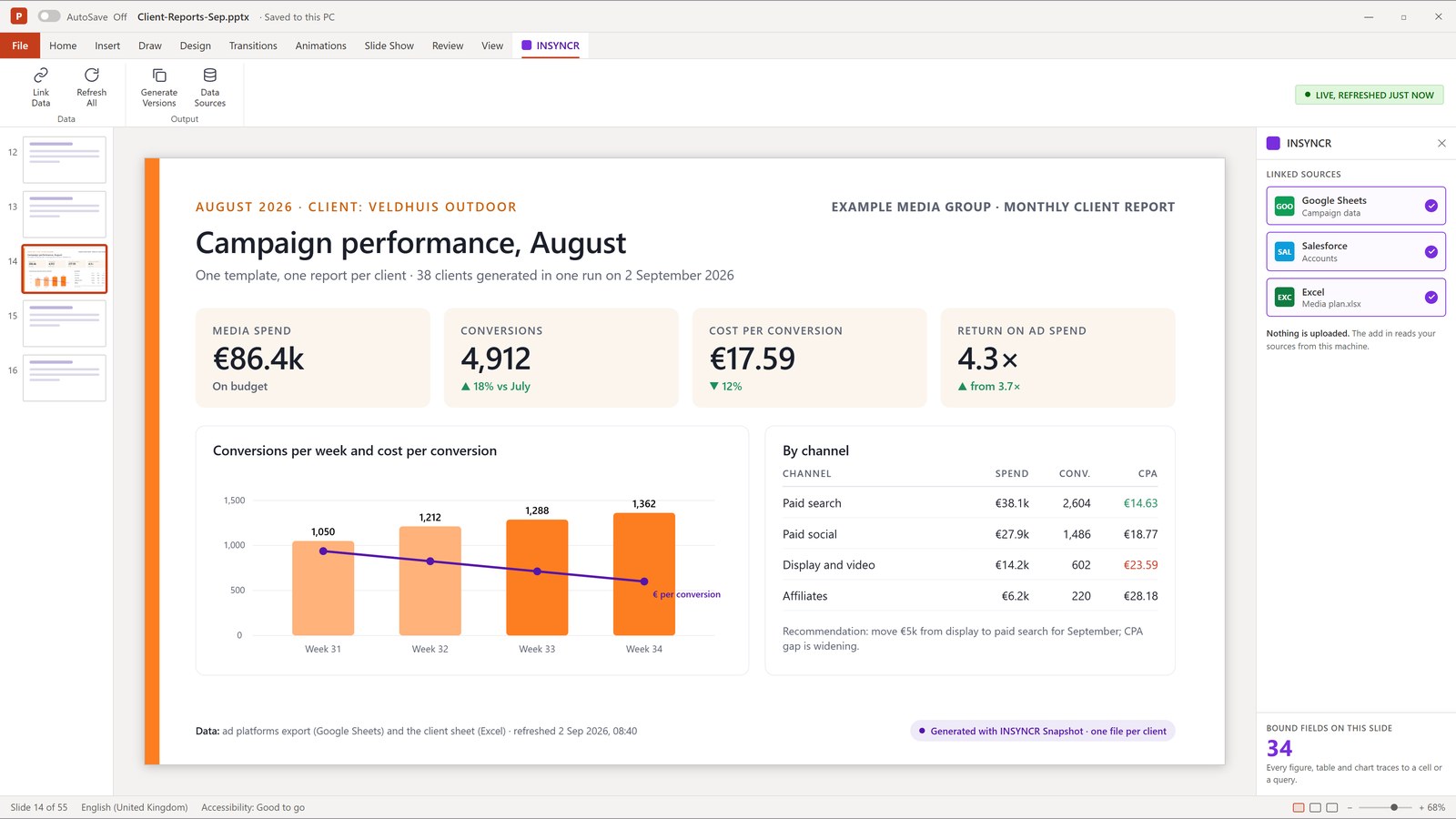
One report per client per month, and the client list keeps growing.
Four signs it is
- The same template is saved under a new name and edited by hand
- The count is in the dozens or the hundreds
- Somebody has built a macro for it and now owns the macro
- The deadline is the constraint, not the analysis
13 sources, on Business
 Excel
Excel- Excel Online
 Google Sheets
- Text and CSV files
- XML files
- JSON files
- The file system, as a data source
 SharePoint lists and libraries
 Microsoft Access
- Exchange
 Outlook
 Google Calendar
 MySQL
MySQL
Business, €191.66 a month, billed annually per user
This is the case Snapshot Save As exists for. One template, one row per document, and a run that writes a separate PowerPoint, PDF or MP4 for each one, named from the record.
Not sure this is your problem yet? The three versions of it, and what each one cost